Building on what Thom has said, if it is the Wifi pre-condition not being met, I believe you could add a condition to the appropriate file for systemd to wait for that condition before proceeding.
Once the pre-condition has been defined, you can confirm that the Network Manager will wait for it by getting the report from the command
systemctl list-dependencies NetworkManager
You likely need a definition similar to this
[Install]
WantedBy=multi-user.target   (replace with correct value)
in the corresponding *.service file that initiates the WiFi service provided with iwlwifi.
Since I don't understand all of systemd, you will need to have someone who knows that better to guide you as to what the pre-condition parameter should be, how to specify its value, and where that should be done.
Saying that, you could at least perform this operation (which has way too much info) ...
systemd-analyze dump | cat -n >dump.txt
then do this to identify the network-related systemd Units ...
systemd-analyze dump | cat -n | grep '[-]> Unit' | grep '[Nn][Ee][Tt][Ww][Oo][Rr][Kk]'
giving you this (line numbers added by the above "cat -n")
 14881	-> Unit NetworkManager.service:
 17104	-> Unit network-pre.target:
 18821	-> Unit systemd-networkd.socket:
 26668	-> Unit NetworkManager-wait-online.service:
 26998	-> Unit network.target:
 36268	-> Unit network-online.target:
 42207	-> Unit systemd-networkd-wait-online.service:
 44907	-> Unit networking.service:
 46603	-> Unit systemd-networkd.service:
 50728	-> Unit networkd-dispatcher.service:
OR ... you could study the graph that comes from the command
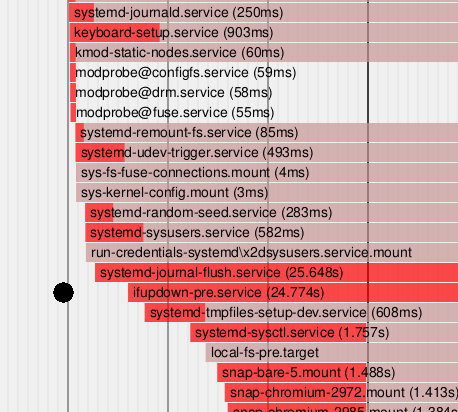
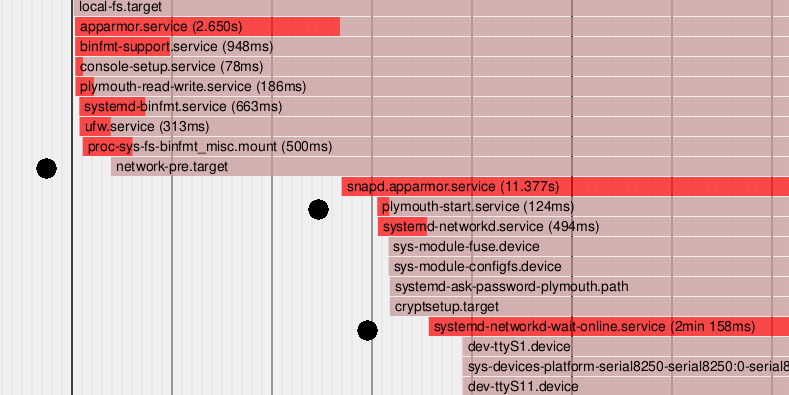
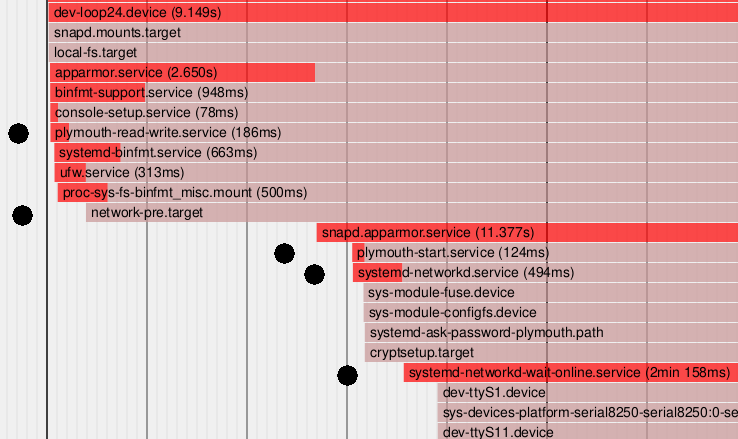
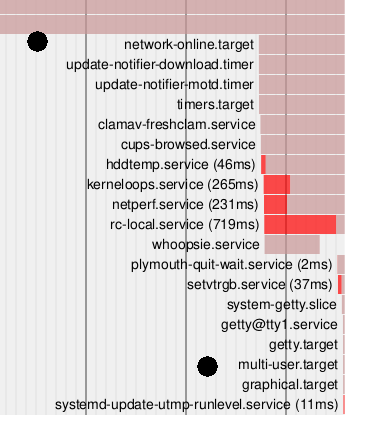
systemd-analyze plot >bootup.svg
where you can spot items that are possibly of interest, such as these (zoomed cut-outs) which I've highlighted for my own system (in relative boot sequence):