If there are general alternatives like an existing git project or a script w/ a cron job I would be happy with that advice too. My concern would be having a password in a file in plain text which is all I’ve come across thus far as potential solutions.
Otherwise be prompted by shell on a certain basis to enter a password is fine too.
p.p.s.
I understand the p.s. is a broader not MATE specific inquiry /commentary, but as the indicator applet complete is a MATE dev copywrite I started there.
Thank you for your time and attention
PS 3X: Thank you for keeping this project alive, this OS is on every computer in my house with exception to my wife’s macbook
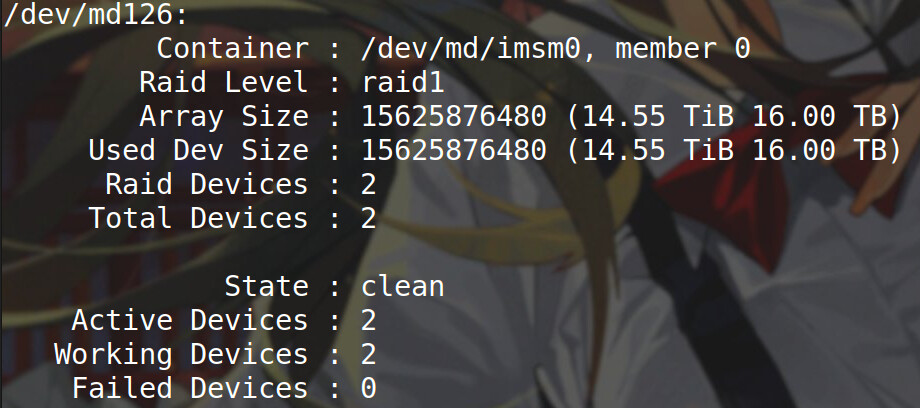
Thank you for the question. As the first respondent, I confess to not being familiar with mdadm or the "indicator applet complete" capability, but I often craft a shell script for standalone use or via cron to test and return results via notify-send or embedded as a yad or zenity dialog. If running as a cron job, I run it under root if necessary, or if a standalone, I can prompt for the root password if embedding it is a security risk. With bash it's a simple matter of prompting:
read -s -p "[sudo] sudo password for $(whoami): " p
and then echo $p | sudo -S <your command string>
after which you can trap the output and with awk or sed or other tools, extract the needed information and feed it to your dialog.
About half of what you share here are foreign to me but I am interested in reviewing/ learning as time permits. For sake of getting diverse opinions I’ll leave the post unsolved but rest assured I value this reply.
EDIT: I am just reading overviews of what zenity is and it is AWESOME
IMHO, the answer is 'no' for predefined applets are not that customisable. Nevertheless, adding one's own custom applet is surprisingly if not easy but at least not difficult.
Sorry, I didn't mean to assume familiarity with certain Linux capabilities, and not being familiar with mdadm didn't want to steer you off your path. My answer was meant to suggest that you could "wrap" your process with a script and process any generated output through the use of many of the built-in tools Linux supplies. I do this frequently, and if you can provide more information about what it is you are wanting to achieve we might be able to help you craft a solution.
SMART is a hardware analysis/reporting tool intended to deal with the hardware itself, data that is corrupted and stored to disk won't be detected by SMART, UNLESS the drive malfunctions and stores that corrupted data incorrectly..
Data can be corrupted due to hardware issues (SMART is intended for), or via software (bad data due to software problem, bad metadata etc) that SMART won't see.
Don't forget there are different forms of corruption; as you do sort of mix them together as I read your post.
( I have a system here with a bad DISK & thus SMART issue, many warnings & messages I'm ignoring... but data is NOT corrupted as its handled correctly by the system, with the system still performing correctly, but without redundancy protection should it suffer another failure )
That’s correct, thus I’d want to, in the confines of managing my system not the underlying post, determine if a drive is bad AND if there is bitrot. So I would have to look into how ext4 does these things and THEN work on getting notifs.