How do I set file view as list not icons?
1 Like
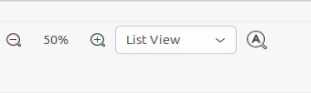
started caja, took a screenshot of the top right.
4 Likes
Assuming you mean in Caja, pressing Control-2 (ctrl+2) will do this. You can also toggle between three views at the bottom of the View menu.
If you want to do this in a terminal session, the -l option in the "list" (ls) command is one way, (eg., ls -l).
5 Likes
Thanks. The terminal did the trick.
Best
3 Likes