Hi, on the GitHub page, following are the instructions given for Linux.
Linux
- Visit release page
- Download Configurator for Linux platform (linux32 and linux64 are present)
- Extract tar.gz archive
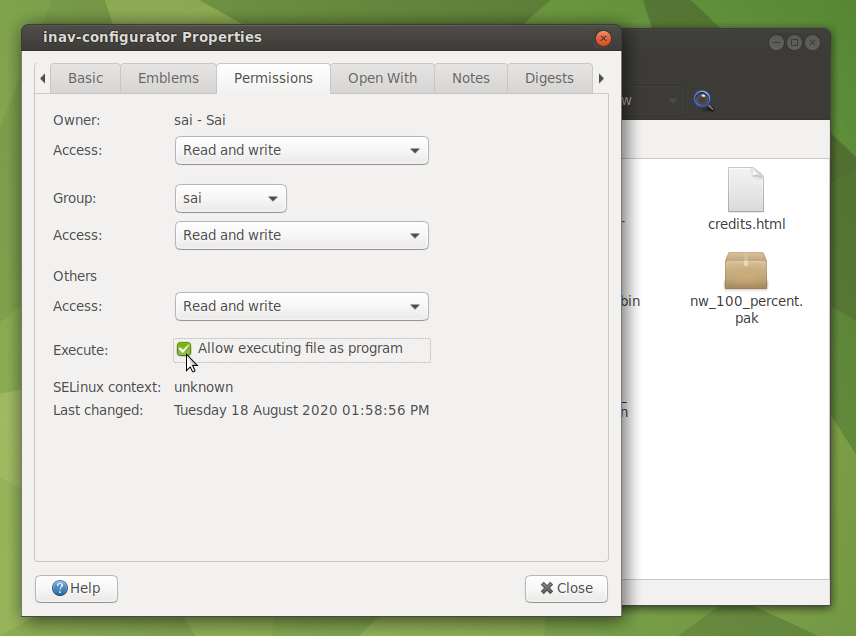
- Make the inav-configurator file executable (chmod +x inav-configurator)
- Run INAV Configurator app from unpacked folder
Once you extract the archive, go to the unzipped folder, right click on the 'inav-configurator' file and select 'Properties'. Go to 'Permissions' tab. There you tick the 'Allow executing file as program' checkbox. I tried to launch it by double clicking it but it gives no application to launch type shared library...something like that. Instead if I execute from terminal it works. For this you go to (unzipped) INAV folder, right-click anywhere and choose 'Open in Terminal'. Type ./inav-configurator and hit Enter. Don't forget the leading period (before /). See attached snapshots. Hope it helps.
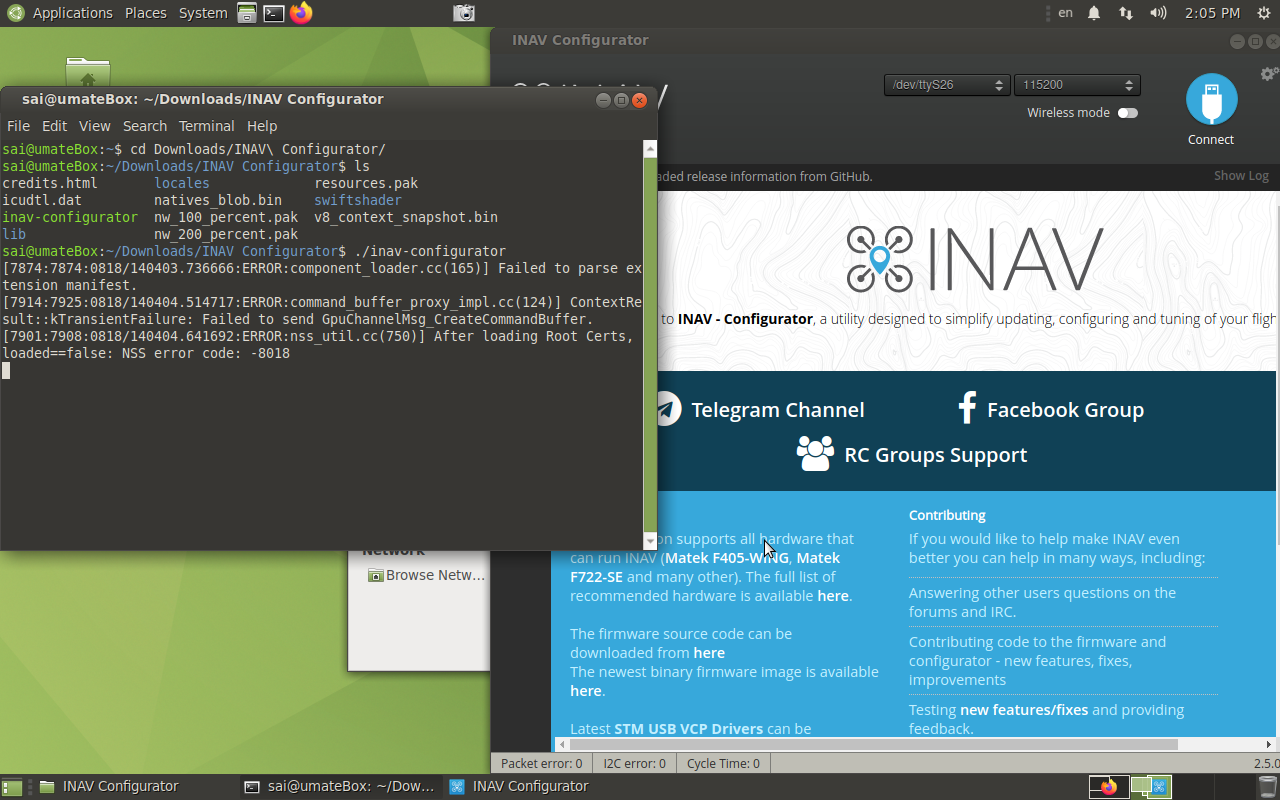
Also, there is a note for linux users. You may consider it.
Linux users
- Dont forget to add your user into dialout group
sudo usermod -aG dialout YOUR_USERNAMEfor serial access - If you have 3D model animation problems, enable "Override software rendering list" in Chrome flags chrome://flags/#ignore-gpu-blacklist