Hi @bristow,
this menu window is from indicator-session. The most obvious customization method is through dconf-editor. Install dconf-editor and navigate to /apps/indicator-session. Toggle user-show-menu item fo solve your problem №1.
OR use terminal command:
gsettings set com.canonical.indicator.session user-show-menu false
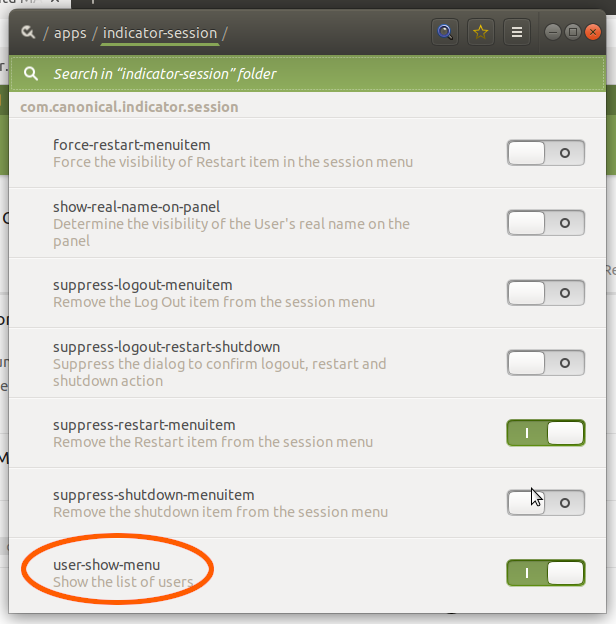
There is no toggle to hide 'suspend' menu item and elegantly solve your problem №2 unfortunately (bug report).
Hope this helps