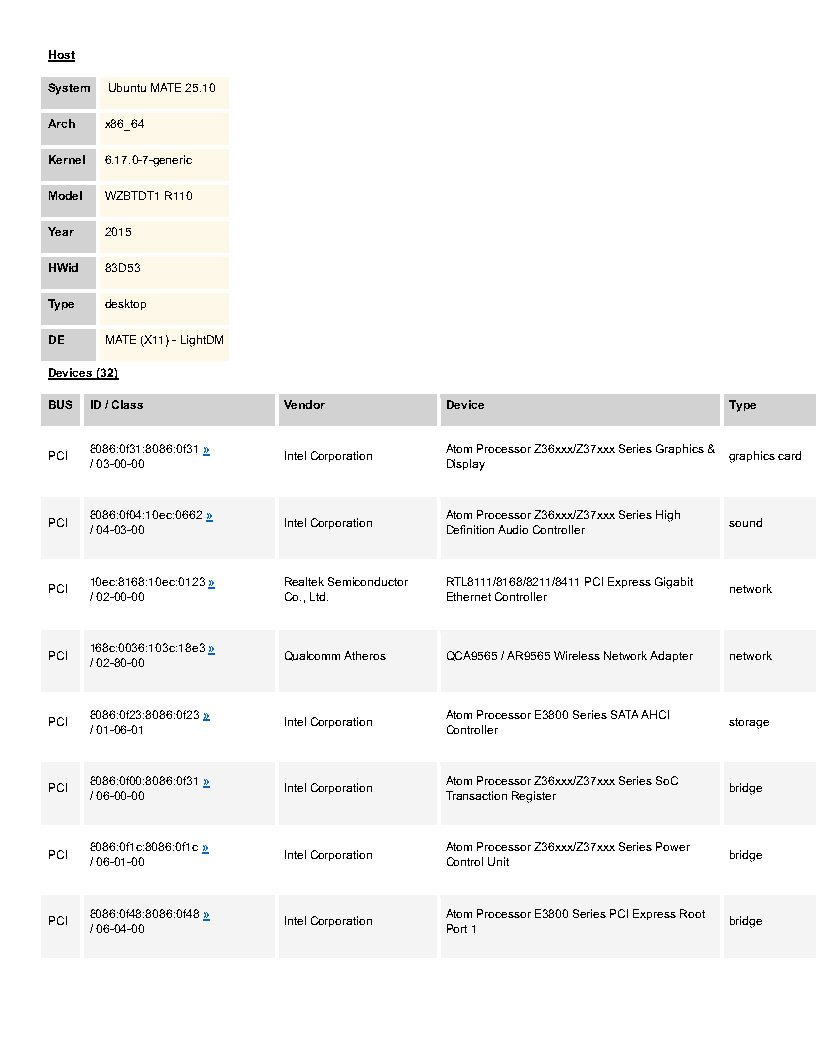
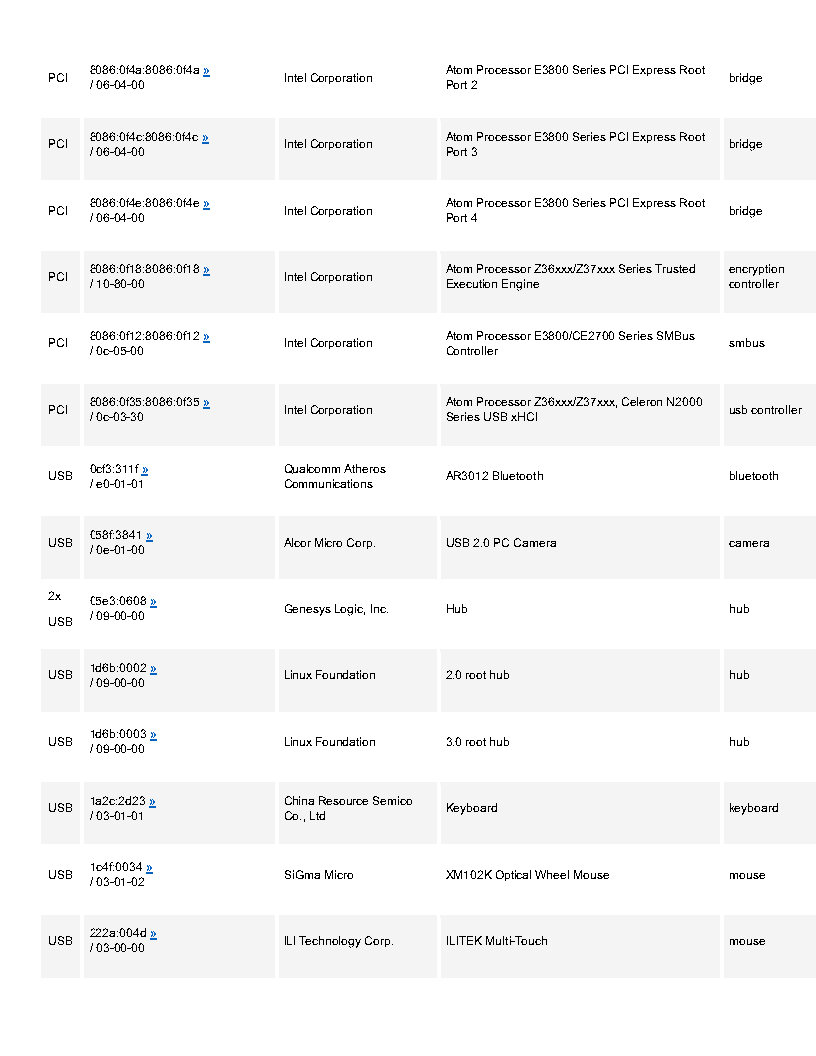
I bought a Telikin 22" combined screen& computer to modify for my visually impaired senior mother.
"Telikin is a brand of all-in-one touchscreen computers designed primarily for seniors, running a customized version of Tiny Core Linux. "
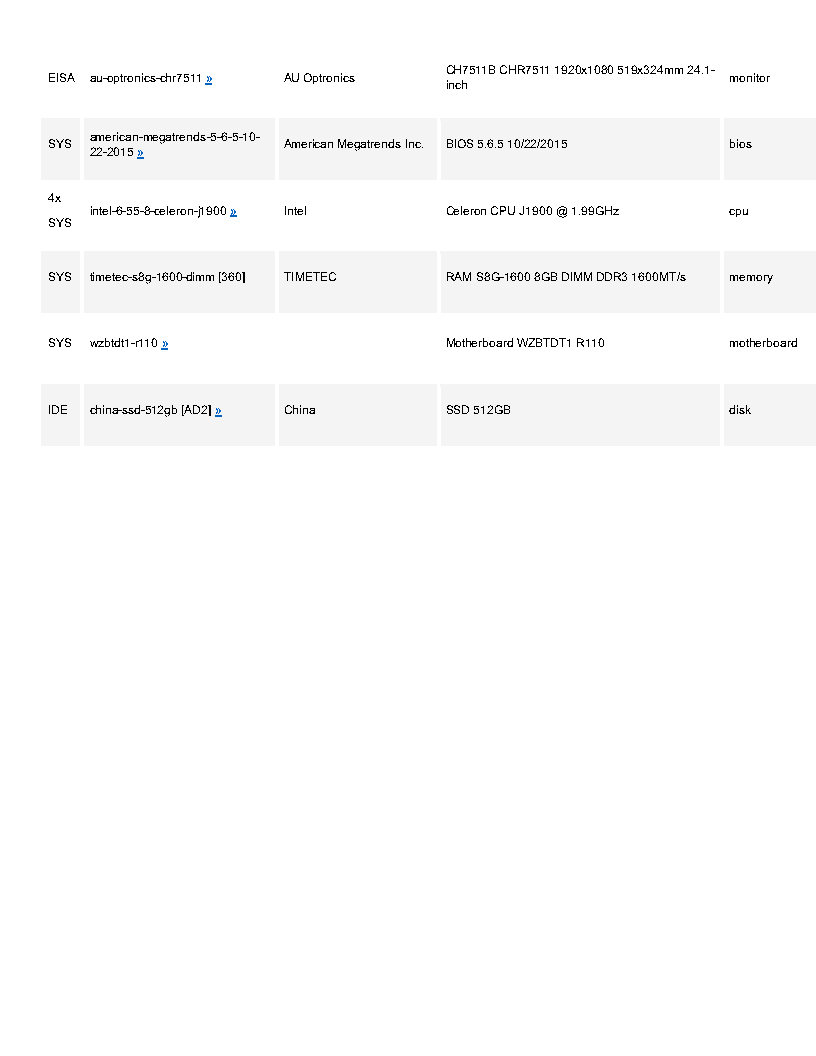
I installed a 5122GB SSD and 8GB memory stick.
The Problem is that the screen blinks on and off, about a second each continuously.
The monitor is by American Mega Trends or AMI
The Intel driver is from sudo lspci:
00:02.0 VGA compatible controller: Intel Corporation Atom Processor Z36xxx/Z37xxx Series Graphics & Display (rev 0e)
I have gone through the Mate control panel, and the display app to no avail. I updated Mate software too. The refresh rate is 60Hz with no other option with a large 1820X?. Changing to a lower value did nothing.
I also tried disabling LVDS, “LVDS (Low-Voltage Differential Signaling) in the BIOS refers to a setting that controls the output for displays connected via LVDS. It can typically be enabled or disabled in the BIOS settings under the graphics configuration options.”
When I disabled LVDS I got a blank screen only and had to unplug the CMOS battery, waited a few minutes and then booted, entered the BIOS with the DEL key and reenabled it.
This is a total shot in the dark, but InstallingDebianOn/Asus/T100TA - Debian Wiki - suggests that for a similar device, you should uninstall xserver-xorg-video-intel (however I do not expect this to make a difference).
I don't know if this method will solve the problem on your computer. However, after replacing the broken screen on my laptop, I experienced screen flickering at certain brightness levels. Changing the screen brightness level may solve the problem. (You can change the brightness in Control Center > Power Management.)
Thanks for the link. I just made the grub change but it didn’t help noting that my problem is an on/off blinking issue and not flickering but now I’m covered for that too!
BTW - given that this is occurring on more than one distribution, and that the driver is in the Linux kernel itself; this seems like more of a kernel-level issue than something at the "distribution" level - if you get what I mean.
You might want to try older kernels (given that it is older hardware), therefore, perhaps look at some older versions of Ubuntu MATE or Linux Mint - and see if the issue occurs there?
This is a shot in the dark, but is the Mint version you are trying also using the MATE desktop?
If so, there is a long-time problem for some people with MATE desktop icons blinking. Since desktop icons are managed by caja (the file manager), and since caja also manages the MATE desktop, could it be that the blinking desktop problem is a variant of the blinking icons problem?
Just to rule it out, you might try this tweak: Open caja and select Edit > Preferences. Click the "Preview" tab and set both "Show thumbnails" and "Preview sound files" to "Never" and see if that helps.
“BTW - given that this is occurring on more than one distribution, and that the driver is in the Linux kernel itself; this seems like more of a kernel-level issue than something at the "distribution" level - if you get what I mean.
You might want to try older kernels (given that it is older hardware), therefore, perhaps look at some older versions of Ubuntu MATE or Linux Mint - and see if the issue occurs there?”
And the updates to grub, yes I restarted grub after making the changes.
As mentioned, I believe that this is a kernel issue too.
Viewing the bios and booting a multi-tool rescue external drive, there is NO blinking at all. As soon as I tried to start booting Mate or Mint, with its several years old kernel, even the mouse pointer would blink on and off.
I did extensive web searches and found many instances of flickering especially with mouse movements but only one guy with a laptop that had the same issue as I did and he ended up installing Windows as did I
Driver updates were sparse and ineffective too.
Conclusion
I looked into small footprint, low bloat, windows and came across Tiny10 and Tiny11, Win 10 and 11 variations respectively, and have it set up well with only about 20Gb of disk space used. I’ve been able to up-size the icons, fonts and have a magnifier option via the mouse wheel so I’m fairly happy now.
Thanks for the help with good comments you all provided.
Would be handy for others to know which kernels you're talking about. Ubuntu MATE 25.10 (which is what was shown on your hardware query) uses 6.17 which is barely months old. Even if you were all the way back on 6.8 (i.e. Mint 22 or Ubuntu 24.04) that's still only 18 months old. The hardware you're running (Atom Z36/Z37) was released as far back as 2014 so there's a big window of opportunity for a regression to be introduced between kernels that started supporting that hardware vs kernels that probably forgot about it.
I know you've moved on, so this is more for someone else who might investigate the issue - but it'd be interesting to know if the blinking occurs when you're using a terminal (i.e. press Ctrl + Alt + F2) - because there is a small chance that the issue is with the way X11 talks to the display. Otherwise, who knows, maybe there's an issue with ACPI - and perhaps it can be salvaged through one of the bazillions of kernel parameters (and the i915 module parameters) - but that would take some serious debugging effort.
The kernels tried were as you have listed. I made no change to the installation isos.
Linux Mint 22.2, codename Zara, ships HWE Kernel 6.14
Ubuntu MATE 25.10 (per the hardware query) uses 6.17
Regarding the terminal, I used it during boot up attempts, cleaning the files, etc and it worked fine but of course the kernel was not loaded. Using a terminal within the blinking installations, also blinked.
The grub mods I tried which failed were these two:
I’m thinking about starting a dual boot installation of this same Mate version for the Telikin.
Another thought if that fails would be to modify the installation iso, inserting a 2015 vintage kernel using Cubic which I have never used. I tried pasting a link here but as a new user, only two links per message are allowed.