Also - it is still worth checking if ffmpeg or VLC can do hardware decoding for H264, VP8, and perhaps VP9 (but I'm going to guess that the last one is not supported by your hardware).
Another possibility is the wifi hardware. I had an odd problem of YouTube videos being choppy and such on one of my laptops. I changed the wifi card and everything worked as expected. You can check by using a usb to ethernet adapter and running the feed through the wired connection.
Also as stephematician suggested, try running a local video file through vlc or another player (not through a server with wifi). If it plays fine then that is another clue that it may be the data connection.
I am pretty sure this is all a VA API issue. Windows hardware acceleration makes up for the older graphics card which explains why it’s laggy in linux. Try this.
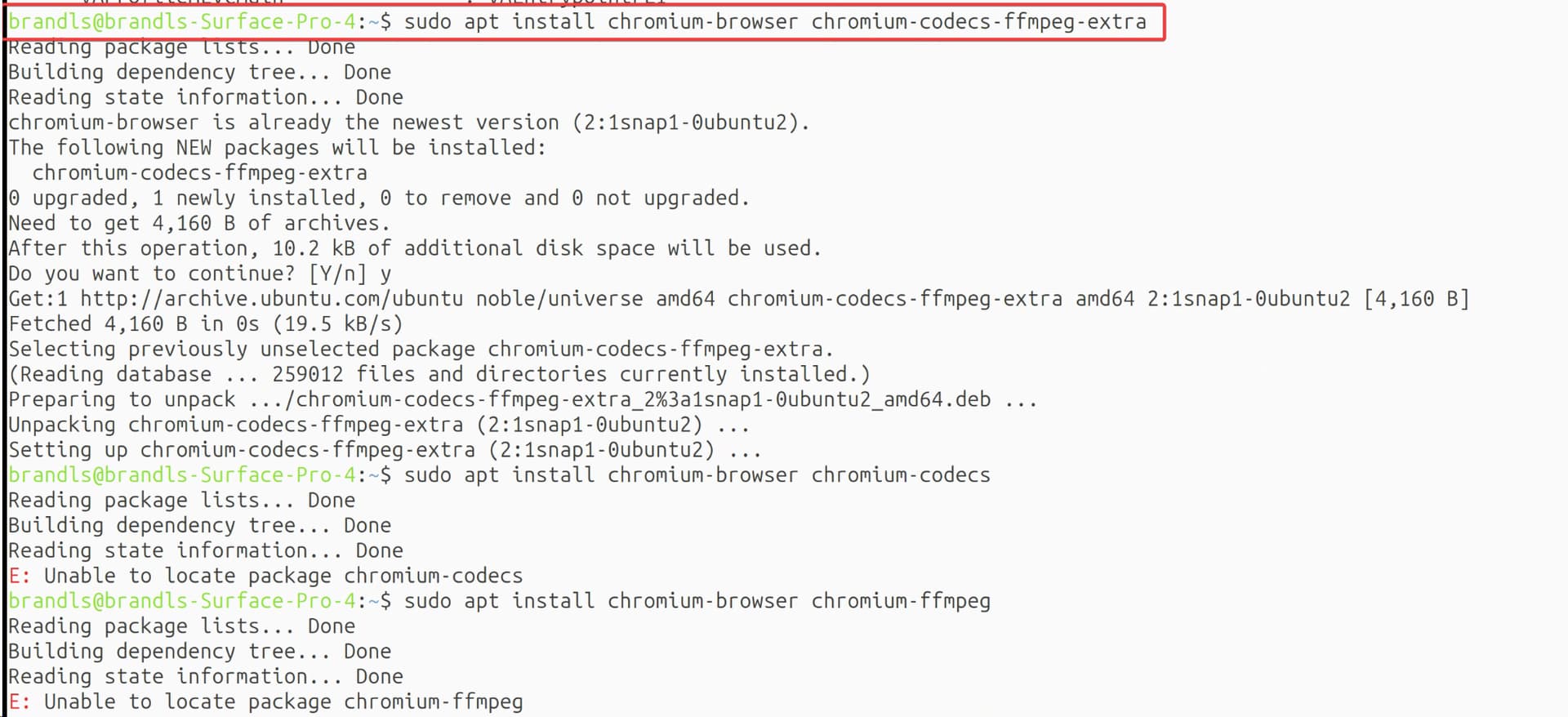
I reckon you're onto something. Just to add that on 24.04 chromium is deployed as a snap - and I think the package needed is chromium-ffmpeg - but I havent tested myself.
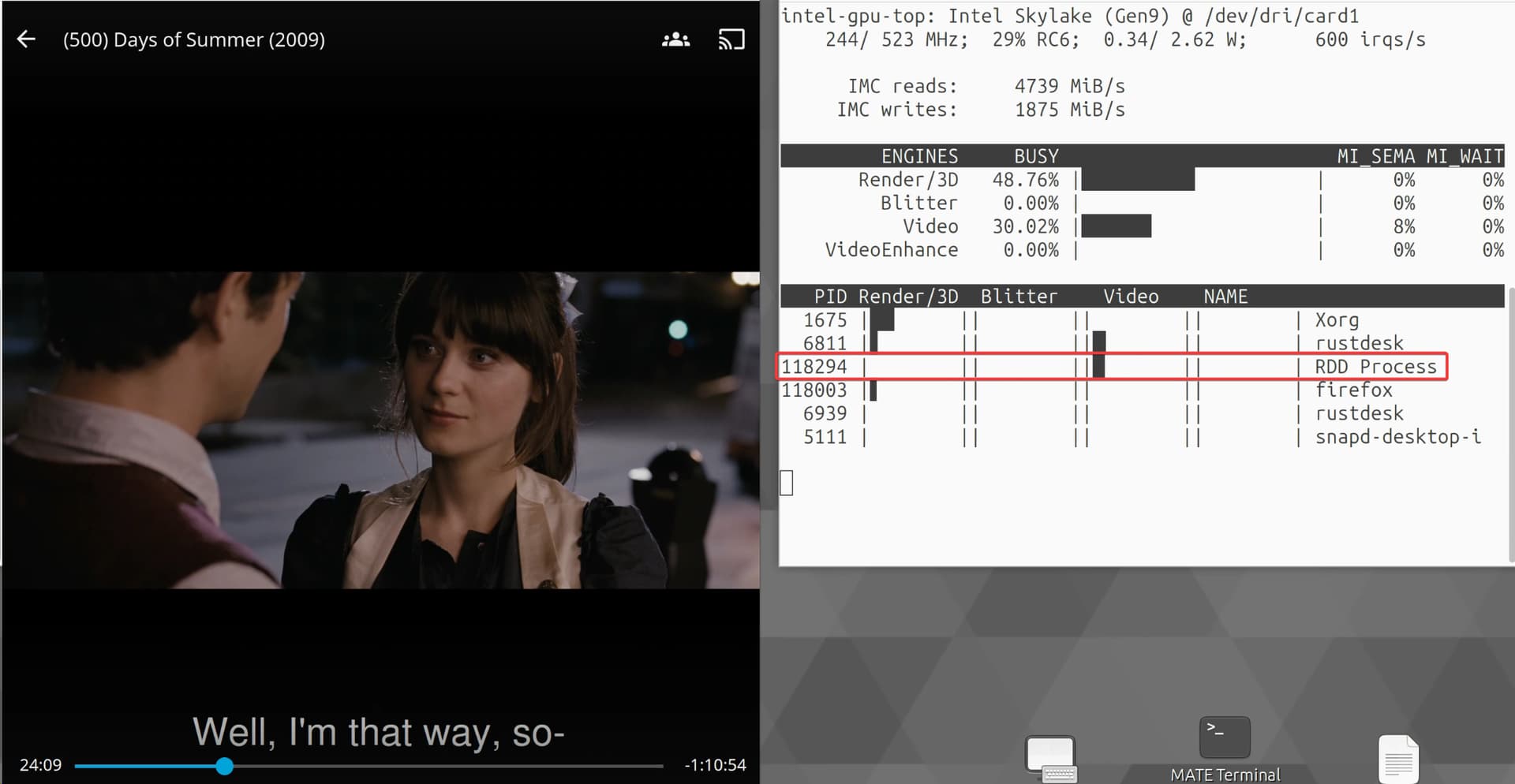
I tried watching a movie off jellyfin and I got to see some video action from “RDD Process” not sure what that is. Usually this would be a direct stream from the server. Still choppy and laggy though…
Running your command, I am still getting choppy playback and no GPU usage from chrome. I have the h264ify extension installed as well. I added some replies to the post above as well.
I tried installing the package that stephenmatician had suggested (chromium-ffmpeg) but it wasnt found. I launched chromium with chromium --enable-features=VaapiVideoDecoder
Unforuntely I am still getting studdering and lag, chrome still isnt using the iGPU.
I wanted to mention too. I tried watching a download x264 and x265 video using VLC, it was also choppy and studdering. I have some comments on the post above yours of screenshots of that.
I am not sure it is the wifi hardware. I did watch something off of my jellyfin server and it seemed to use the igpu, but it was still laggy and studdering. I watched x264 and x265 videos downloaded off of the server as well using vlc but it was still laggy. I commented above with screenshots
I tried to install that but wasnt able to see the package, see my response to GeekBones orginal comment of my results. Also take a look at my testing with VLC and downloaded media, as well as testing watching off of my jellyfin server. It seemed to use the iGPU but was still studdering and laggy.. This is a mess
I'm travelling so cant test anything. Not wanting you to go down too much of a VLC rabbit hole; but you may have to use the preferences inside VLC to get GPU decoding to work there
i appreciate all the help. this is starting to become too long of an endeavor. i told my parents yea linux is an alternative to windows 10 and it shouldn’t be too hard to setup and use for daily browser and media watching.
5 days later
Thinking of switching off of debian / switching distros but this distro is pretty lightweight and i like the ubuntu environment
I am going to take a look at this when I get home. Otherwise I may give fedora a shot. Not sure on how fedora is going to perform on the Surface Pro 4 with 4 gb of ram and 4 cores
Fair enough; I was hoping that someone with Intel hardware would jump in at some point to help out - as there's only so much I can really think of when I'm sitting over here with AMD/NVIDIA.
I strongly suspect there are just a couple of steps missing with respect to setting up VA-API; but I don't know what they are for your machine and Chromium-based browsers (which I also do not use).
Getting familiar with ffmpeg and VLC might be a good option because they are much more transparent and easier to configure (than a browser). If you can get hardware decode working there; my guess is that whatever is needed for Chromium-based browsers would follow.
Fedora has a MATE desktop "spin" last I saw. That should be more lightweight than using Plasma/KDE which is the default.
Also - if you want to set up Jellyfin to use HW decoding, someone with experience with the jellyfin media player will have to step up. I've never used it.
Perhaps someone else will find a solution for Debian/Ubuntu in future and put it here. Well done on persisting as long as you did
If anyone does come across this zombie thread in future - an avenue to consider (given that it works a-ok on Fedora) is that Chromium and Firefox on Ubuntu are snap packages - and that might influence the setup of VAAPI.
Agreed. This had to have been some kind of VAAPI issue. I was getting the correct driver for the Surface Pro 4 iGPU
Some things of note:
Watching Jellyfin through a web browser WAS using the iGPU, it was not 100% stable but dropping down the bitrate made it look better. It was showing up as a different process apart from chromium. My RustDesk remote software was also using the iGPU
Ubuntu MATE did work very good for the Surface Pro 4 with the m3 chip (worst of the bunch) and 4gb of ram. It was decently snappy and ran better than windows. If I could have gotten video playback working this would have been a great option.
Someone with more Linux knowledge than me has likely gotten this to work on the SP4. If you dig deeper on the surface-kernel GitHub page / community, you likely would find some helpful resources. For this case my parents really needed their laptop back.
Good luck!
EDIT: Thank you everyone for the help and persistence on this., especially @stephematician
Agreed. Duck.ai tells me that in the Aurora Linux distribution, both Chromium and Firefox are typically provided through the official repositories rather than as snaps.
 At the bottom of that documentation they provide the command: