Hello,
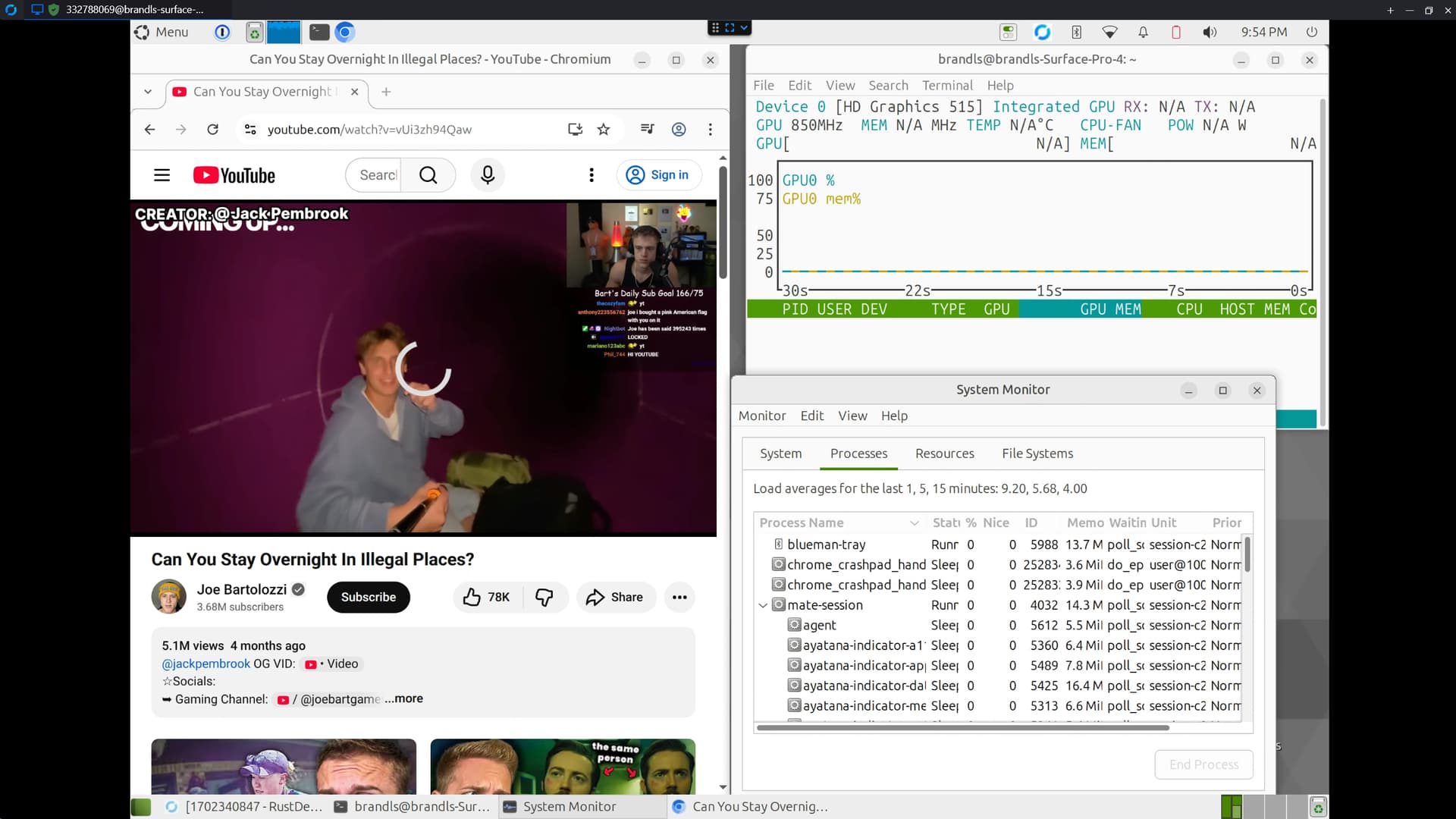
My parents are willing to give linux a try on a very old and low spec Surface Pro 4 laptop. I have installed the surface kernal and ubuntu mate LTS on the system but cannot get Chromium or firefox to play youtube videos correctly. Video playback is laggy and slow it also bumps the CPU usage up to 100%
OS Info and Kernal:
Distributor ID: Ubuntu
Description: Ubuntu 24.04.3 LTS
Release: 24.04
Codename: noble
6.17.1-surface-2
Hardware:
Surface Pro 4 with Intel HD Graphics 515 , 4 core, 4 gb of ram.
brandls@brandls-Surface-Pro-4:~$ lspci | grep VGA
00:02.0 VGA compatible controller: Intel Corporation HD Graphics 515 (rev 07)

brandls@brandls-Surface-Pro-4:~$ sudo dmesg | grep i915
[sudo] password for brandls:
[    0.000000] Command line: BOOT_IMAGE=/boot/vmlinuz-6.17.1-surface-2 root=UUID=029bffd6-a57e-4152-9a2e-ed8f8f21c7ca ro quiet splash i915.force_probe=191e i915.enable_guc=2 i915.fastboot=0 i915.semaphores=1 vt.handoff=7
[    0.059783] Kernel command line: BOOT_IMAGE=/boot/vmlinuz-6.17.1-surface-2 root=UUID=029bffd6-a57e-4152-9a2e-ed8f8f21c7ca ro quiet splash i915.force_probe=191e i915.enable_guc=2 i915.fastboot=0 i915.semaphores=1 vt.handoff=7
[   12.890259] i915: unknown parameter 'fastboot' ignored
[   12.890271] i915: unknown parameter 'semaphores' ignored
[   12.936341] i915 0000:00:02.0: [drm] Found skylake/ulx (device ID 191e) integrated display version 9.00 stepping H0
[   12.941609] i915 0000:00:02.0: [drm] VT-d active for gfx access
[   12.969175] i915 0000:00:02.0: vgaarb: deactivate vga console
[   12.969388] i915 0000:00:02.0: [drm] Using Transparent Hugepages
[   13.023716] i915 0000:00:02.0: vgaarb: VGA decodes changed: olddecodes=io+mem,decodes=io+mem:owns=io+mem
[   13.025910] i915 0000:00:02.0: [drm] Finished loading DMC firmware i915/skl_dmc_ver1_27.bin (v1.27)
[   13.198509] i915 0000:00:02.0: [drm] GT0: GuC firmware i915/skl_guc_70.1.1.bin version 70.1.1
[   13.198532] i915 0000:00:02.0: [drm] GT0: HuC firmware i915/skl_huc_2.0.0.bin version 2.0.0
[   13.287540] i915 0000:00:02.0: [drm] GT0: HuC: authenticated for all workloads
[   13.287562] i915 0000:00:02.0: [drm] GT0: GUC: submission disabled
[   13.287572] i915 0000:00:02.0: [drm] GT0: GUC: SLPC disabled
[   13.909923] i915 0000:00:02.0: [drm] Registered 3 planes with drm panic
[   13.909941] [drm] Initialized i915 1.6.0 for 0000:00:02.0 on minor 1
[   15.082882] fbcon: i915drmfb (fb0) is primary device
[   15.082907] i915 0000:00:02.0: [drm] fb0: i915drmfb frame buffer device
[   18.866704] snd_hda_intel 0000:00:1f.3: bound 0000:00:02.0 (ops intel_audio_component_bind_ops [i915])
[ 7442.310074] i915 0000:00:02.0: [drm] *ERROR* Potential atomic update failure on pipe A
Hardware acceleration is turned on in Chromium. Here are some screenshots of the chrome://gpu. I cant post anymore images due to new user limits
Graphics Feature Status
=======================
*   Canvas: Hardware accelerated
*   Direct Rendering Display Compositor: Disabled
*   Compositing: Hardware accelerated
*   Multiple Raster Threads: Enabled
*   OpenGL: Enabled
*   Rasterization: Hardware accelerated
*   Raw Draw: Disabled
*   Skia Graphite: Disabled
*   TreesInViz: Disabled
*   Video Decode: Hardware accelerated
*   Video Encode: Software only. Hardware acceleration disabled
*   Vulkan: Disabled
*   WebGL: Hardware accelerated
*   WebGL2: Hardware accelerated
*   WebGPU: Disabled
*   WebNN: Disabled
Video acceleration shows no info.
My parents really perfer to use chrome for syncing of data. Let me know if you need any other info, the setup for this surface pro has been a mess. I was having issues for hours trying to get it to even boot to the login page. I kept getting a grey screen with no cursor that would make the login screen sound but couldnt do anything past that. I put in some settings into grub to make it work properly after back and forth with the internet and chatgpt
GRUB_DEFAULT=0
GRUB_TIMEOUT_STYLE=hidden
GRUB_TIMEOUT=0
GRUB_DISTRIBUTOR=`( . /etc/os-release; echo ${NAME:-Ubuntu} ) 2>/dev/null || echo Ubuntu`
GRUB_CMDLINE_LINUX_DEFAULT="quiet splash i915.force_probe=191e i915.enable_guc=2 i915.fastboot=0 i915.semaphores=1"
GRUB_CMDLINE_LINUX=""
EDIT: If anymore information is needed please let me know
2 Likes
If you provide the report from the following, it could clarify the context that is being investigated:
inxi -SAGMxxx
2 Likes
The output of vainfo might be useful, too.
2 Likes
Hi, @TheQwenton and welcome to the Ubuntu MATE Community!
2 Likes
These two parameters are doing nothing, BTW. You could remove them.
1 Like
brandls@brandls-Surface-Pro-4:~$ inxi -SAGMxxx
System:
  Host: brandls-Surface-Pro-4 Kernel: 6.17.1-surface-2 arch: x86_64 bits: 64
    compiler: gcc v: 11.4.0 clocksource: tsc
  Desktop: MATE v: 1.26.2 wm: marco v: 1.26.2 with: mate-panel
    tools: mate-screensaver vt: 7 dm: LightDM v: 1.30.0 Distro: MATE 24.04.3
    LTS (Noble Numbat) base: Ubuntu
Machine:
  Type: Laptop System: Microsoft product: Surface Pro 4
    v: 124000000000000000000000D:0B:08F:3C:03P:38 serial: <superuser required>
    Chassis: type: 9 serial: <superuser required>
  Mobo: Microsoft model: Surface Pro 4 serial: <superuser required>
    part-nu: Surface_Pro_4 uuid: <superuser required> UEFI: Microsoft
    v: 109.3748.768 date: 05.04.2021
Graphics:
  Device-1: Intel HD Graphics 515 vendor: Microsoft driver: i915 v: kernel
    arch: Gen-9 ports: active: eDP-1 empty: DP-1, DP-2, HDMI-A-1, HDMI-A-2
    bus-ID: 00:02.0 chip-ID: 8086:191e class-ID: 0300
  Display: x11 server: X.Org v: 21.1.11 compositor: marco v: 1.26.2 driver:
    X: loaded: modesetting unloaded: fbdev,vesa dri: iris gpu: i915
    display-ID: :0 screens: 1
  Screen-1: 0 s-res: 2736x1824 s-dpi: 96 s-size: 723x482mm (28.46x18.98")
    s-diag: 869mm (34.21")
  Monitor-1: eDP-1 model: Samsung 0x3853 res: 2736x1824 hz: 60 dpi: 267
    size: 260x173mm (10.24x6.81") diag: 312mm (12.3") modes: 2736x1824
  API: EGL v: 1.5 hw: drv: intel iris platforms: device: 0 drv: iris
    device: 1 drv: swrast gbm: drv: iris surfaceless: drv: iris x11: drv: iris
    inactive: wayland
  API: OpenGL v: 4.6 compat-v: 4.5 vendor: intel mesa
    v: 25.0.7-0ubuntu0.24.04.2 glx-v: 1.4 direct-render: yes renderer: Mesa
    Intel HD Graphics 515 (SKL GT2) device-ID: 8086:191e
Audio:
  Device-1: Intel Xeon E3-1200 v5/E3-1500 v5/6th Gen Core Processor Imaging
    Unit driver: ipu3-imgu bus-ID: 00:05.0 chip-ID: 8086:1919 class-ID: 0480
  Device-2: Intel CSI-2 Host driver: ipu3-cio2 bus-ID: 00:14.3
    chip-ID: 8086:9d32 class-ID: 0480
  Device-3: Intel Sunrise Point-LP HD Audio driver: snd_hda_intel v: kernel
    bus-ID: 00:1f.3 chip-ID: 8086:9d70 class-ID: 0403
  API: ALSA v: k6.17.1-surface-2 status: kernel-api
  Server-1: PipeWire v: 1.0.5 status: active with: 1: pipewire-pulse
    status: active 2: wireplumber status: active
2 Likes
brandls@brandls-Surface-Pro-4:~$ vainfo
libva info: VA-API version 1.20.0
libva info: Trying to open /usr/lib/x86_64-linux-gnu/dri/iHD_drv_video.so
libva info: Found init function __vaDriverInit_1_20
libva info: va_openDriver() returns 0
vainfo: VA-API version: 1.20 (libva 2.12.0)
vainfo: Driver version: Intel iHD driver for Intel(R) Gen Graphics - 24.1.0 ()
vainfo: Supported profile and entrypoints
      VAProfileNone                   :	VAEntrypointVideoProc
      VAProfileNone                   :	VAEntrypointStats
      VAProfileMPEG2Simple            :	VAEntrypointVLD
      VAProfileMPEG2Simple            :	VAEntrypointEncSlice
      VAProfileMPEG2Main              :	VAEntrypointVLD
      VAProfileMPEG2Main              :	VAEntrypointEncSlice
      VAProfileH264Main               :	VAEntrypointVLD
      VAProfileH264Main               :	VAEntrypointEncSlice
      VAProfileH264Main               :	VAEntrypointFEI
      VAProfileH264Main               :	VAEntrypointEncSliceLP
      VAProfileH264High               :	VAEntrypointVLD
      VAProfileH264High               :	VAEntrypointEncSlice
      VAProfileH264High               :	VAEntrypointFEI
      VAProfileH264High               :	VAEntrypointEncSliceLP
      VAProfileVC1Simple              :	VAEntrypointVLD
      VAProfileVC1Main                :	VAEntrypointVLD
      VAProfileVC1Advanced            :	VAEntrypointVLD
      VAProfileJPEGBaseline           :	VAEntrypointVLD
      VAProfileJPEGBaseline           :	VAEntrypointEncPicture
      VAProfileH264ConstrainedBaseline:	VAEntrypointVLD
      VAProfileH264ConstrainedBaseline:	VAEntrypointEncSlice
      VAProfileH264ConstrainedBaseline:	VAEntrypointFEI
      VAProfileH264ConstrainedBaseline:	VAEntrypointEncSliceLP
      VAProfileVP8Version0_3          :	VAEntrypointVLD
      VAProfileVP8Version0_3          :	VAEntrypointEncSlice
      VAProfileHEVCMain               :	VAEntrypointVLD
      VAProfileHEVCMain               :	VAEntrypointEncSlice
      VAProfileHEVCMain               :	VAEntrypointFEI
2 Likes
I will remove those in grub and update, thank you for the comment
2 Likes
Looks good to me. One thing to check might be nvtop while youtube is displaying. See if the video card is getting a workout or not.
My guess is that Chromium and youtube (website) are so heavy with javascript that its not the video playback that is causing stutters - it would be all the other bloat.
As in - if you grabbed any demo H264 video and played it through ffmpeg or vlc, itd play fine.
1 Like
I dont think the GPU is being used at all, I had no issues playing youtube on windows.
I will download something off my jellyfin server and see if I can play it with VLC
2 Likes
Looks like nvtop is having trouble reading the GPU utilisation anyway, damn.
Could be that a newer version of nvtop is needed than what's available in the Ubuntu repositories.
1 Like
Try intel-gpu-tools and the intel_gpu_top command?
1 Like
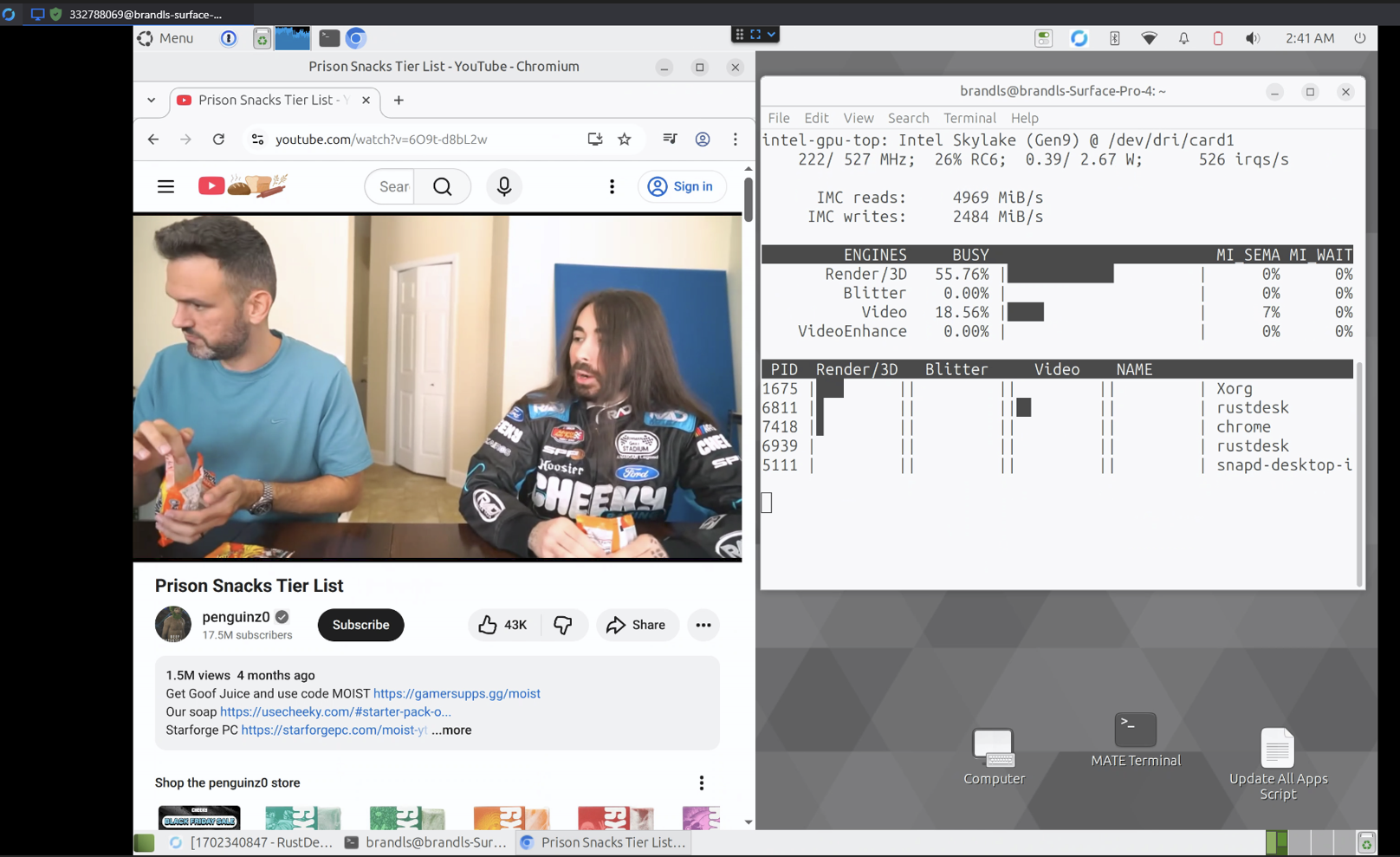
Here is what I am getting, I get the same results remote / not remoted in using rust desk. Still a laggy mess. could it have to do with AV1 decoding from youtube? Feel this is a driver issue. didnt have crazy lagy on youtube otherwise using windows 10.
2 Likes
I would think that youtube would use H264 if its not being given access to AV1 hardware decoding.
If its a driver issue - its interesting that rustdesk is showing some video utilisation with intel_gpu_top, right? Perhaps there's a chrome setting that is preventing the use of VA-API (which is one way for a browser to access hardware decoding on Linux).
1 Like
I am confused, from what I read on the documentation VaAPI on linux is not supported?
VaAPI on Linux
VA-API on Linux is not supported, but it can be enabled using the flags below, and it might work on certain configurations -- but there's no guarantees.
I have tried a few of these already. I went ahead and looked again. Following this section -
Verify the VaAPI supports and/or uses a given codec
A few steps are customary to verify the support and use of a given codec.
To verify that the build and platform supports video acceleration, launch Chromium and navigate to chrome://gpu, then:
-
Search for the “Video Acceleration Information” Section: this should enumerate the available accelerated codecs and resolutions.
-
If this section is empty, oftentimes the “Log Messages” Section immediately below might indicate an associated error, e.g.:
vaInitialize failed: unknown libva error
that can usually be reproduced with vainfo, see the previous section.
I see :

The log message seems to be generic and not related to any issue. Looks like my hardware doesnt support video acceleration decoding or encodiing at all? It looks lke it should be supported though for decoding at least.

Following this section -
To verify that a given video is being played back using the accelerated video decoding backend:
-
Navigate to a url that causes a video to be played. Leave it playing.
-
Navigate to the chrome://media-internals tab.
-
Find the entry associated to the video-playing tab.
-
Scroll down to “Player Properties” and check the “video_decoder” entry: it should say “GpuVideoDecoder”.
I have a youtube video playing at 1080p. going to chrome://media-internals and clicking the currenty video playing I dont see anything for Player properties or video_decoder.
Running chrome with the flag --enable-features=AcceleratedVideoEncoder also did not seem to help any.
I want to add as well that I am not getting any better results with firefox. This is something that I figured would be a lot quicker but I am stuck with this laptop for about 3 days now haha
2 Likes
It seems that the VA API is unsupported for linux? See my other reply. I can only use 1 image and 2 links per reply so apologies if I missing somethings.
2 Likes
Replying to add a few missing images


2 Likes
update - tried some tips from a reddit post https://www.reddit.com/r/linux/comments/xcikym/tutorial_how_to_enable_hardware_video/
Using these flags to start chromium does not seem to allevate the issues
chromium --use-gl=desktop --enable-accelerated-video-decode --enable-accelerated-video-encode --enable-features=VaapiVideoDecoder --disable-features=UseChromeOSDirectVideoDecoder
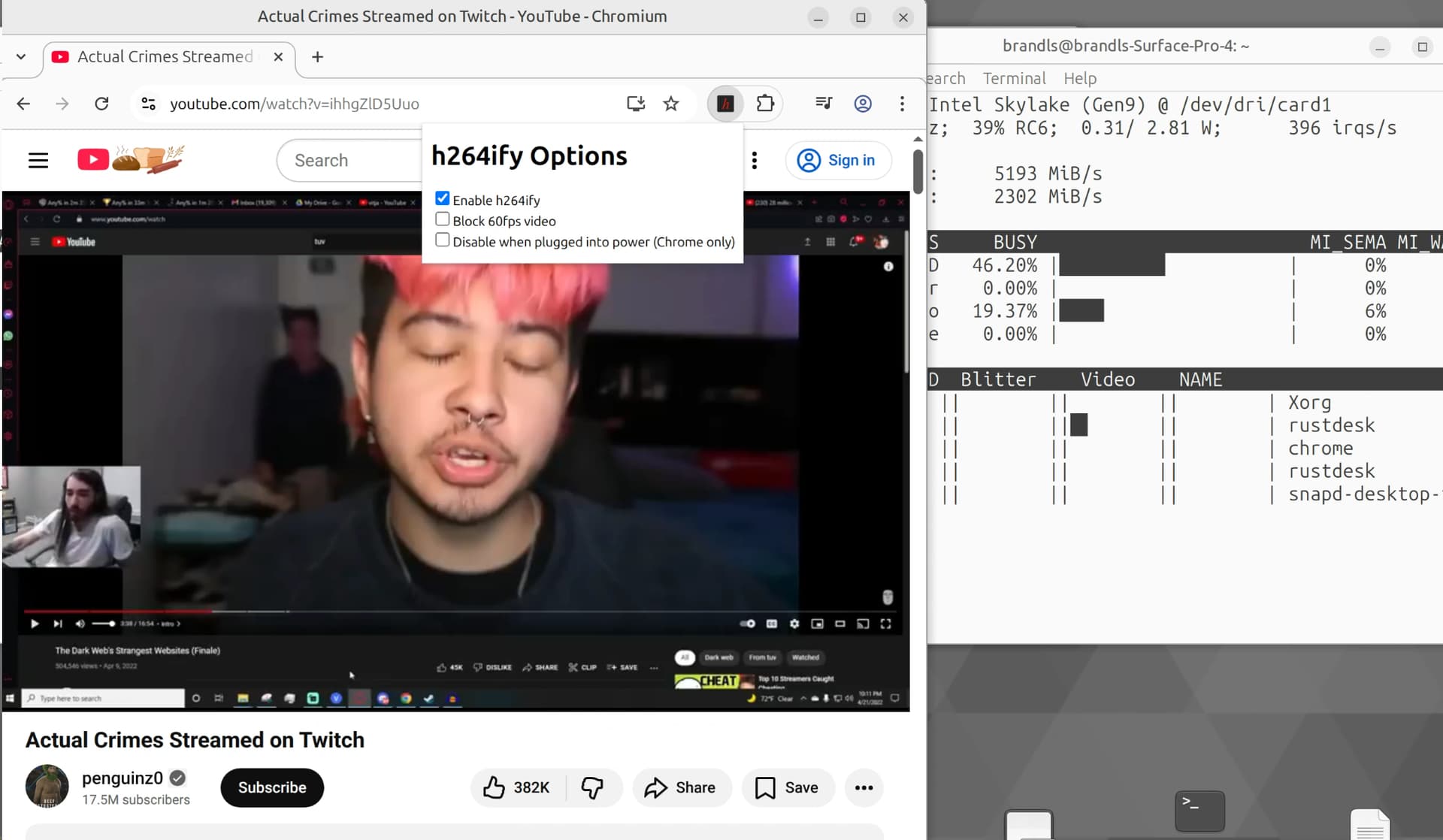
I also tried installing the h264ify browser extention along with launching chromium with those flags above, still laggy and studdering. Still doesnt look like the browser is even using the gpu at all while rust desk continues to use it.
2 Likes
update - tried the firefox config from the reddit post https://www.reddit.com/r/linux/comments/xcikym/tutorial_how_to_enable_hardware_video/
went to about:config and set gfx.webrender.all and media.ffmpeg.vaapi.enabled to true. I restarted firefox and still having studdering playback on youtube. Doesnt seem firefox is using the igpu as well
2 Likes