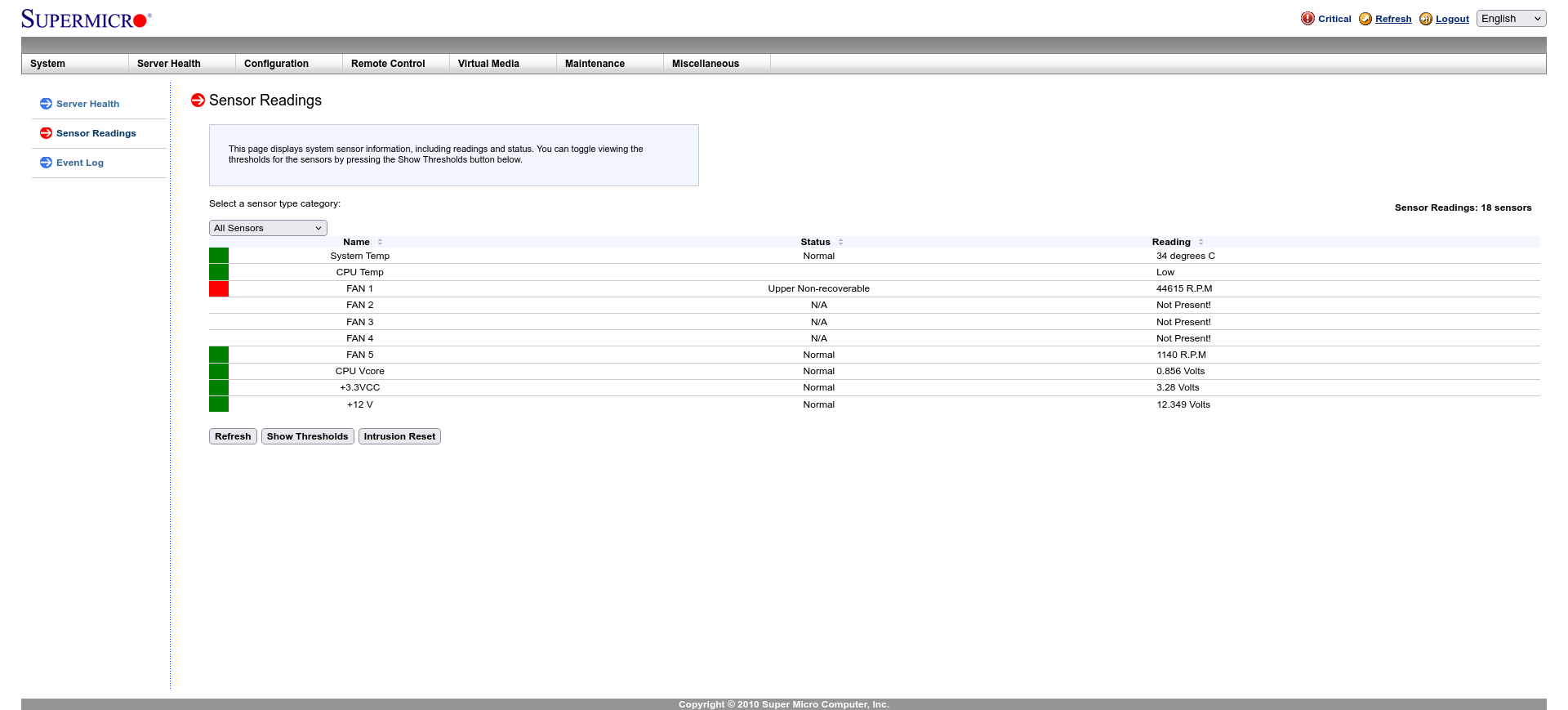
My Ubuntu MATE (22.04.5 LTS) has been auto-rebooting today nearly every 15 minutes or so. In the past, I have usually believed this to be caused by a networking problem, but my network has been very stable today. So, I'm curious what diagnostics I can view to determine the cause. I've checked sudo dmesg but with all the ring buffer messages, it's hard to isolate one. My last reboot shows
$ last reboot | head -7
reboot system boot 6.8.0-87-generic Thu Oct 30 17:38 still running
reboot system boot 6.8.0-87-generic Thu Oct 30 17:15 still running
reboot system boot 6.8.0-87-generic Thu Oct 30 16:47 still running
reboot system boot 6.8.0-87-generic Thu Oct 30 15:21 still running
reboot system boot 6.8.0-87-generic Wed Oct 29 18:32 still running
reboot system boot 6.8.0-86-generic Wed Oct 29 18:18 - 18:29 (00:10)
reboot system boot 6.8.0-86-generic Mon Oct 27 14:29 - 18:15 (2+03:46)
This is the script it requires ipmitool. If your system doesn't support the 'Intelligent Platform Management Interface" (IPMA) standard, it likely won't do much for you. It's available on github:
Here's my script, modified from the default:
`#!/bin/bash
if [ "$EUID" -ne 0 ]
then echo "Please run as root"
exit
fi
TEMP=$(ipmitool sdr type temperature | grep Ambient | grep degrees | grep -Po '\d{2}' | tail -1)
# sdr = sensor data repository
# Notes: the grep -Po '\d{2}' uses an experimental feature of grep: a perl
# expression which resolves to only (the -o) 2 digits of the previous greps.
echo "Ambient temperature on the server is ($TEMP C)"`
You should have 2 ip for that server, one is for its name and another for the ipmi interface. pve9 is a proxmox server. From your browser, http://10.0.0.56
There are other options as to power on/off the server. Even if the server is turned off, IPMI is active so you can log on and power on the server using the IPMI.
I have a Dell r710. I don't think IPMI is installed, jut the ipmitool I added to it. I have two IP addresses, but the second is for Dell's own Integrated Dell Remote Access Controller (iDRAC), which is pretty old and not very helpful.
I have a R710, too. The power supplies have a green light, check both are on. You may have to re-seat the psu's. Also, the front has a small display where it can show you status. I cannot power it on now to show you the iDRAC interface but, in my opinion, a server that reboots every 15 min is a H/W issue.
Can not tell much, just share my personal experience:
Unsupported UM LTS installation was receiving upstream Ubuntu updates and became unstable finally. OS was freezing at random several times a day. The only cure was reboot. I could not find a trace of root cause in logs. Situation resolved by itself after version upgrade (in place).