Hello, thank you for talking your time reading this,
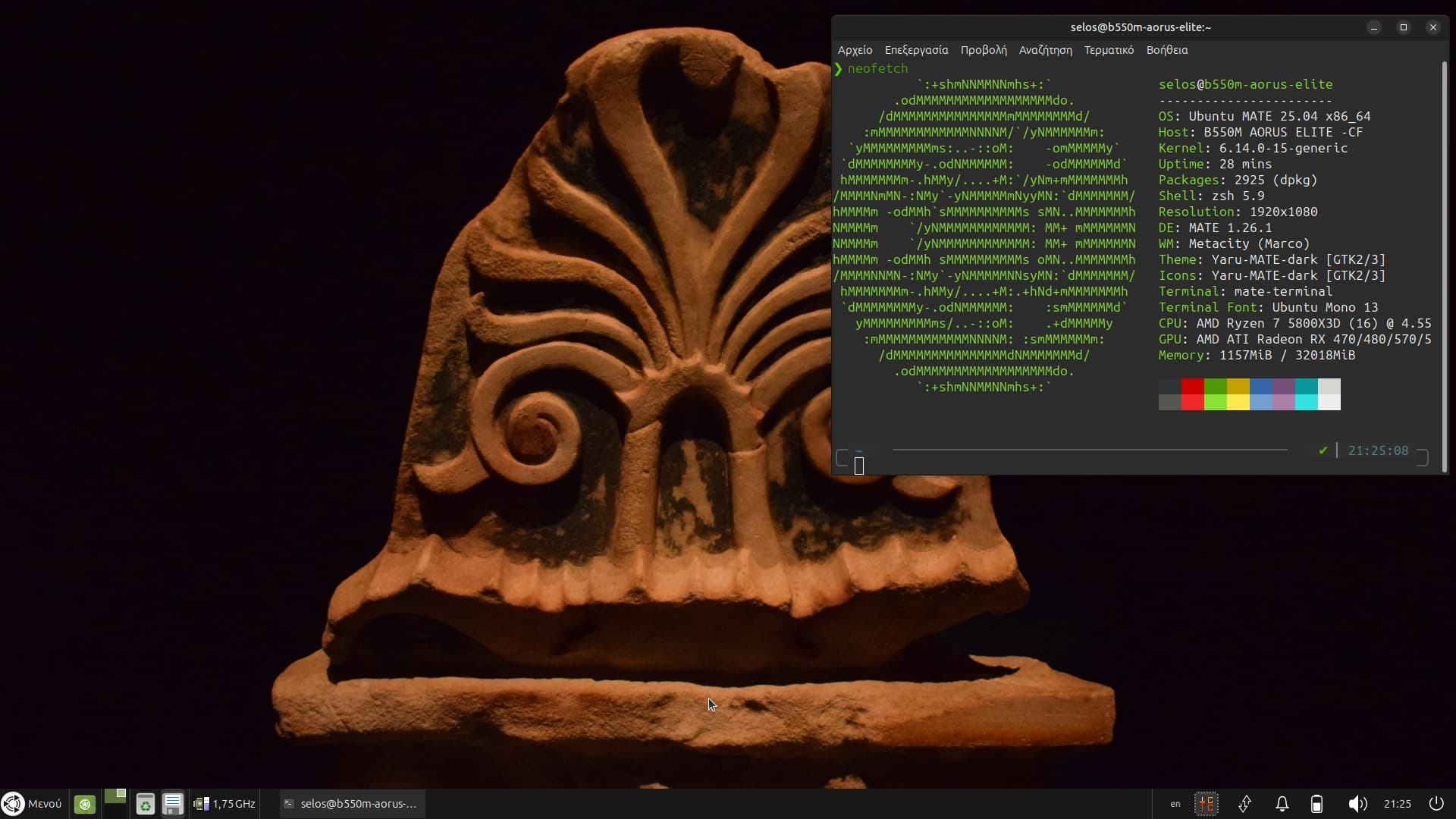
so yesterday I installed the newest version of Ubuntu mate (and I must to admit that it looks beautiful).
My question is how I could be able to update the MESA driver from the version 25,0,3 to the newest one, if I add the PPA package address the system will report back to me that the package that I am trying to install doesn't have a release file.
Furthermore, I compiled the mesa drivers from the git's page (which by the way I had to download and install a bunch of dependencies ), but still the version remains as such.
So how can I resolve this problem
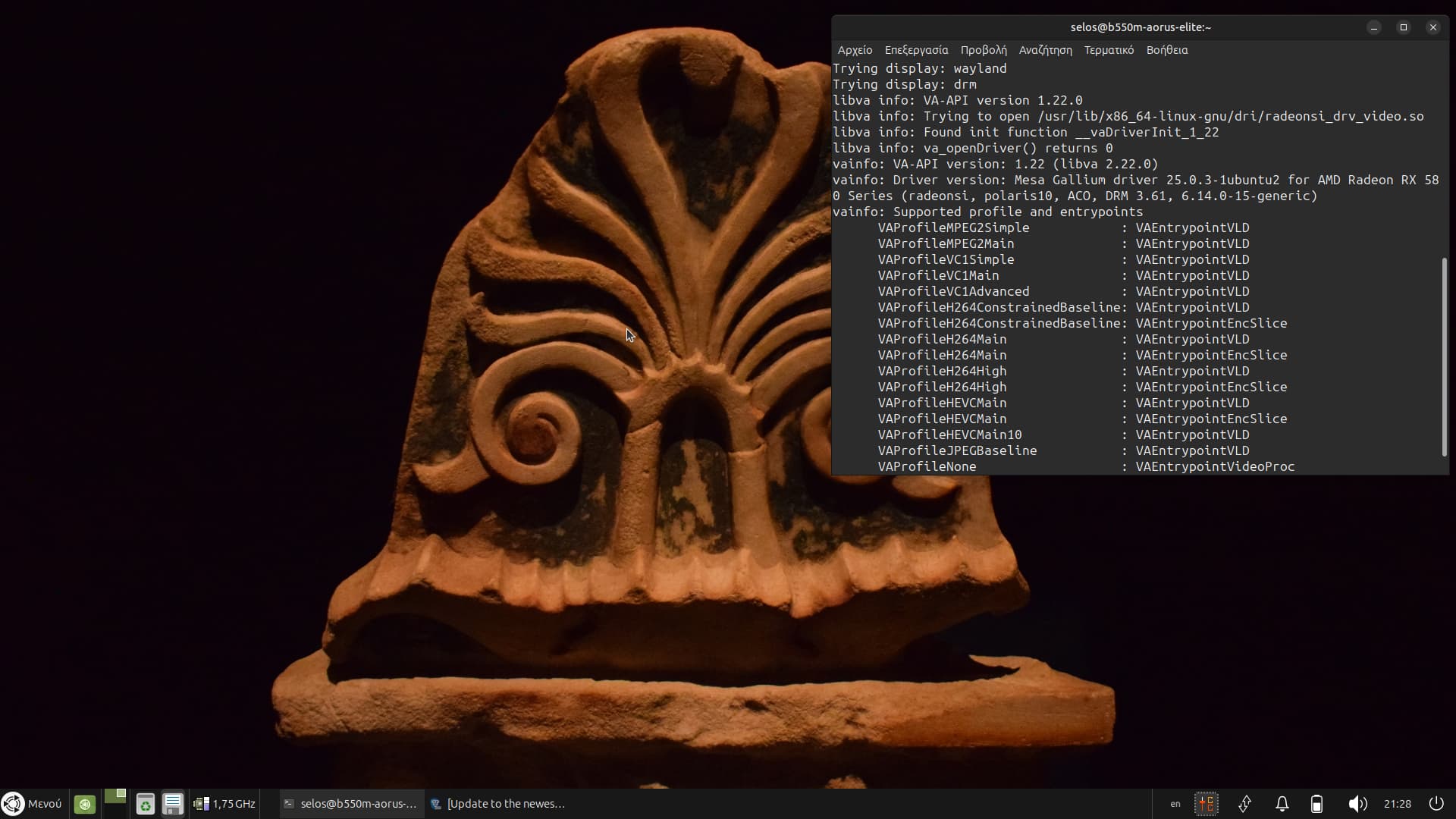
Also in the terminal when I am typing vainfo to see my codecs
You've provided no clues as to what PPA was added, that I saw anyway; but that error tells you the PPA you added does not support your release; so you failed in your security checks as I see it; as PPAs or Personal Package Archives are 3rd party sources with the only security checks made on them as for them being suitable for your release, are those you do yourself. Your checks should have shown no support for plucky or 25.04 prior to adding.
For best results; you should provide all details, including the actual exact message you saw; I've responded here based on what I believe you're seeing, and why that error is most commonly seen. Your error message contains the URL you can use to see what it supports anyway.
Hello thank you for your reply, I was trying to update the MESA drivers via this PPA address "ppa:kisak/kisak-mesa" because I was told that It contained the newest MESA releases but after I have installed the apt package the terminal printed me back this:
Error:5 https://ppa.launchpadcontent.net/kisak/kisak-mesa/ubuntu plucky Release
404 Not Found [IP: 2620:2d:4000:1::81 443]
Hit:6** http://gr.archive.ubuntu.com/ubuntu plucky **InRelease
Hit:7** http://gr.archive.ubuntu.com/ubuntu plucky-updates **InRelease
Hit:8** http://gr.archive.ubuntu.com/ubuntu plucky-backports **InRelease
Reading package lists... Done
E: The repository 'https://ppa.launchpadcontent.net/kisak/kisak-mesa/ubuntu plucky Release' does not have a **Release** file.
N: Updating from such a repository cannot be done securely and is therefore **disabled by default** .
N: See **apt-secure(8) manpage** for repository creation and user configuration details.
So I was wondering if there is a way to resolve this problem. Once again thank you for taking your time by reading this message.
--- Support status ---

Bionic (18.04) - Discontinued - Long term users can use kisak-mesa stable
Focal (20.04) - Sunsetting. Removal after 2025-06-27. Please ppa-purge and use kisak-mesa stable
Jammy (22.04) - Sunsetting. Removal after 2025-06-27. Please ppa-purge and use kisak-mesa stable
Noble (24.04) - Supported
Oracular (24.10) - Preliminary support (Not tested locally)
Plucky (25.04) - On hold until Focal and Jammy are retired due to PPA storage limit
No support for Plucky (25.04) yet. If you want the latest Mesa drivers, you might have to build them.
Hello again I managed to install the Newest mesa drivers first I compiled them in the /usr/local folder.
I cp /usr/local/lib/x86_64.... to /usr/lib/x86_64....
That included /usr/local/include .. share to /usr/include .. share.
now if I type
vulkaninfo | grep "Vulkan Instance Version" it shows me Vulkan Instance Version: 1.4.304
Moreover the
glxinfo | grep "Mesa" command
is now showing me
client glx vendor string: Mesa Project and SGI
OpenGL core profile version string: 4.6 (Core Profile) Mesa 25.2.0-devel (git-38caef8fa2)
OpenGL version string: 4.6 (Compatibility Profile) Mesa 25.2.0-devel (git-38caef8fa2)
OpenGL ES profile version string: OpenGL ES 3.2 Mesa 25.2.0-devel (git-38caef8fa2)
Unfortunately,
the problems with va-api still remains it stays in version 25.0.3-1ubuntu2
i tried to installed them withing 25.2.0 version but afterwards it was missing half of my codecs
Welcome to the community! I'd highly recommend to avoid compiling/installing into /usr/local manually since it'll be harder to clean up later, and possibly conflict with the packaged versions.
I'm guessing from this /usr/lib path that it's loading the system one rather then the compiled one in /usr/local/lib. That'll be something to do with library paths.
i tried to installed them withing 25.2.0 version
You might be entering development territory here (v25.2), the latest release at the moment is 25.1.1.
If it was me, I'd clean up /usr/local and revert back to the system packages, then attempt to build the packages as the PPA would. The PPA is closer to Ubuntu's mesa packages since it includes Ubuntu-specific patches, and it'll be easier to restore/update later.
Ignore the debsign error at the end, this is because you're not the author in debian/changelog to sign the package. Now the packages are ready to install - they're in the parent folder. If you wanted to install them all (including -dev ones):
sudo apt install ../*.deb
(Tested instructions with a fresh 25.04 server, built successfully) ... Hopefully this provides better results in getting Mesa 25.1.1 to work.
Hello thank you in advance for you time and reply. So long things short; I reverted Mate from 25,04 to 24,04, I also managed (not surprisingly) to install the newest release of the MESA drivers 25,1,1 from the PPA address "ppa:kisak/kisak-mesa".
I have one last question, due to the fact that I am now on Mate's version 24.04, would I be able to update the latest kernel version from 6,11 to 6,14 while at the same time being able to maintain the Mate's LTS version 24.04?