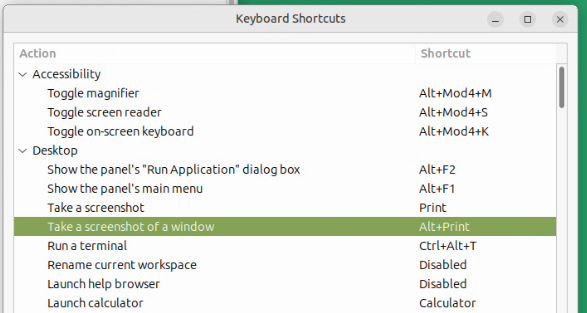
For some idiotic reason, the system refuses to recognize the left Alt when I try to compose the PrintWindow (mate-screenshot -w) action. It will only accept the right Alt function for that.
Where can I go, or what can I enter, to make a permanent change that will recognize either key as valid to compose the PrintWindow action?
I've seen references to gsettings, but they all refer only to gnome, not mate, and I don't want to dive into that without being absolutely sure.
Is the physical key itself working, or registering as being held down? You can check with:
sudo evtest
I misread the post for this next bit, but a fun fact:
On non-US layouts, the right Alt key is actually Alt Gr which lets us type special characters like ¹²³€½¾º™±↑æ«»¢¶. If you had said the Right Alt key wasn't working, it could've been because the keyboard layout was set to an international US layout.
I was not aware that the Alt could be anything other than plain Alt, under any language selection.
However, I was using the English(UK) and English(Canada) keyboard choices, without realizing that they could affect the functional assignment of the Alt key to anything like Alt Gr. I guess I will revert back to plain English(US) for keyboard and stick to that ... except when the need dictates otherwise.
Upon reflection, that brings me to offer the following pearl of wisdom":
"Each new day brings new learning.
If not ... you must already be dead!"