Xdg-email canberra-gtk-module and redshift not working on new MATE install

First of all, hello to everyone and thanks to the MATE developers for bringing back the classic GNOME screen! I was running for 15 years on the standard UBUNTU, GNOME Metacity Flashback. Unfortunately, the last UBUNTU 24 update messed up menus and screens in Metacity. They will drop support for classic GNOME soon in “favour” for their WAYLAND appearance which is not usuable if you always have many windows open.

So I installed MATE and was quite happy with it. Played around with the system and made no modifications instead of the usual repo updates.

Have two problems, however:

Gscan2.pdf scans documents, I can save them but I cannot email them. Thunderbird was installed via Snap, also works. But when I click “send scanned doc by email” in Gscan2, all it does is opening a new email. The PDF is not attached to the email. Also tried Simple Scanner and Vue Scan. Both don’t even try to send email.

According to Gscan2’ logfile it wants to send the email with

xdg-email --attach /home/c/2026-01-19.pdf x@y

Running the same command from console throws the following error:

c@c-Aspire-A517-52G:~$ Gtk-Message: 17:45:16.348: Failed to load module "appmenu-gtk-module"
Gtk-Message: 17:45:16.348: Not loading module "atk-bridge": The functionality is provided by GTK natively. Please try to not load it.
[72979, Main Thread] WARNING: GTK+ module /snap/thunderbird/933/gnome-platform/usr/lib/gtk-2.0/modules/libcanberra-gtk-module.so cannot be loaded.
GTK+ 2.x symbols detected. Using GTK+ 2.x and GTK+ 3 in the same process is not supported.: 'glib warning', file /build/thunderbird/parts/thunderbird/build/toolkit/xre/nsSigHandlers.cpp:201

(thunderbird_thunderbird:72979): Gtk-WARNING **: 17:45:16.350: GTK+ module /snap/thunderbird/933/gnome-platform/usr/lib/gtk-2.0/modules/libcanberra-gtk-module.so cannot be loaded.
GTK+ 2.x symbols detected. Using GTK+ 2.x and GTK+ 3 in the same process is not supported.
Gtk-Message: 17:45:16.350: Failed to load module "canberra-gtk-module"

Neither "appmenu-gtk-module" nor "canberra-gtk-module" can be installed running sudo apt-get install. Says no package found.

Redshift, also reliant on GTK, does nothing at all. There are no config buttons in the settings. Even setting the location manually in the config files seems to have no effect. It doesn’t pickup the lat/long and shows 0.0.0.0. instead. Terminating it throws an error “unable to get location from provider. Closing Redshift in top bar spikes up the fan, high CPU usage. It won’t quit that way, has to be killed in system monitor.

Is it just me or is there a GTK issue? If so, does anyone have a clue how comes and how to fix this please?
1 Like

Hi, @cf353 and welcome to the Ubuntu MATE Community!

Update from my side: This seems to be system and not scanner software Gscan2pdf related. Even if I click on a random file (PDF, Word, JPG) on my drive and choose “email file” in Caja it would open a new email window in Thunderbird but without the file attached.

Is there any fix for it?

More weirdness here:

Talking directly to TB by running:

$ thunderbird -compose attachment="file:/home/c/file.log"

gives this error message:

thunderbird_thunderbird:9091): Gtk-WARNING **: 10:10:46.990: GTK+ module /snap/thunderbird/933/gnome-platform/usr/lib/gtk-2.0/modules/libcanberra-gtk-module.so cannot be loaded.
GTK+ 2.x symbols detected. Using GTK+ 2.x and GTK+ 3 in the same process is not supported.
Gtk-Message: 10:10:46.990: Failed to load module "canberra-gtk-module"
c@c-Aspire-A517-52G:~$ thunderbird -compose attachment="file:home/c/file.log"
Gtk-Message: 10:11:42.395: Failed to load module "appmenu-gtk-module"
Gtk-Message: 10:11:42.396: Failed to load module "appmenu-gtk-module"
[9188, Main Thread] WARNING: GTK+ module /snap/thunderbird/933/gnome-platform/usr/lib/gtk-2.0/modules/libcanberra-gtk-module.so cannot be loaded.
GTK+ 2.x symbols detected. Using GTK+ 2.x and GTK+ 3 in the same process is not supported.: 'glib warning', file /build/thunderbird/parts/thunderbird/build/toolkit/xre/nsSigHandlers.cpp:201

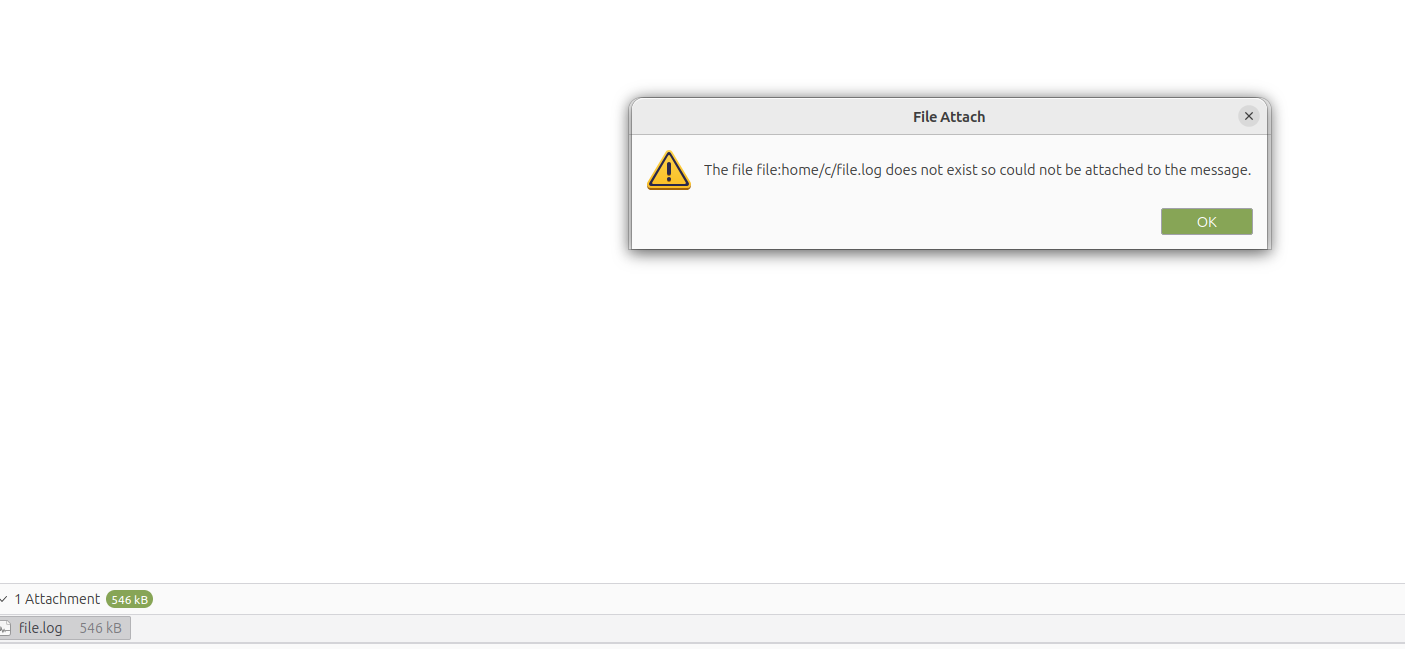
It actually does open a new TB email window WITH THE FILE ATTACHED but also complains the attached file wouldn’t exist. l am attaching a screenshot here.

$ xdg-email --attach /home/c/file.log

throws basically the same error

$ Gtk-Message: 10:31:53.355: Failed to load module "appmenu-gtk-module"
Gtk-Message: 10:31:53.355: Failed to load module "appmenu-gtk-module"
[10016, Main Thread] WARNING: GTK+ module /snap/thunderbird/933/gnome-platform/usr/lib/gtk-2.0/modules/libcanberra-gtk-module.so cannot be loaded.
GTK+ 2.x symbols detected. Using GTK+ 2.x and GTK+ 3 in the same process is not supported.: 'glib warning', file /build/thunderbird/parts/thunderbird/build/toolkit/xre/nsSigHandlers.cpp:201

(thunderbird_thunderbird:10016): Gtk-WARNING **: 10:31:53.489: GTK+ module /snap/thunderbird/933/gnome-platform/usr/lib/gtk-2.0/modules/libcanberra-gtk-module.so cannot be loaded.
GTK+ 2.x symbols detected. Using GTK+ 2.x and GTK+ 3 in the same process is not supported.
Gtk-Message: 10:31:53.489: Failed to load module "canberra-gtk-module"
[10016, Main Thread] WARNING: GTK+ module /snap/thunderbird/933/gnome-platform/usr/lib/gtk-2.0/modules/libcanberra-gtk-module.so cannot be loaded.
GTK+ 2.x symbols detected. Using GTK+ 2.x and GTK+ 3 in the same process is not supported.: 'glib warning', file /build/thunderbird/parts/thunderbird/build/toolkit/xre/nsSigHandlers.cpp:201

(thunderbird_thunderbird:10016): Gtk-WARNING **: 10:31:53.490: GTK+ module /snap/thunderbird/933/gnome-platform/usr/lib/gtk-2.0/modules/libcanberra-gtk-module.so cannot be loaded.
GTK+ 2.x symbols detected. Using GTK+ 2.x and GTK+ 3 in the same process is not supported.
Gtk-Message: 10:31:53.490: Failed to load module "canberra-gtk-module"

and opens a new email window in TB with the same complaint file doesn’t exist but no attachment.

And yes, file of course exists at that location…

As far as redshift goes it's never been functional on any of my machines.If you're looking for a working alternative then try ayatana-indicator-display.

1 Like

Red shift has worked on all of mine. Can you describe the problem?

I made a file with pluma named redshift.conf and saved it to /home/jim/.config/

[redshift]
temp-day=5500
temp-night=3500
transition=1
gamma=0.8
location-provider=manual
adjustment-method=randr

[manual]
lat=-44.5
lon=88.1

[randr]
screen=0
screen=1

**Adding the command <redshift-gtk> to your Startup Applications will apply the setting on log in. Under applications> accessories>redshift you can turn it on an off and put it on your panel if you want it there.

Of course you will want to use your longitude and latitude and adjust the day and night color to your preferences.

Defaults are:

redshift 3700
Will set your screen to "night".

Neutral temperature is:
redshift 6500

I had tried the command line, but never had any luck with that:

Using RedShift from command line

The GUI of RedShift has very limited options, and you can not set the color temperature in a permanent way. However, Redshift also has some command line options: open in a terminal window: redshift -h to see the options.

Simply running the command:

redshift -O 3700

Will set your screen permanently to "night".

Neutral temperature is:

redshift -O 6500

3 Likes

Quite a few years back I had posted up on the old Ubuntu Forums about redshift issues and there never was a resolution so I gave up on it. I did try it in my initial installation of Noble a few years back with the same issues so I just uninstalled it and started using ayatana-indicator-display.

When I get home later I'll reinstall it so I can see the error messages/output I originally got and I'll post it up.

1 Like

Just got home and did an install of redshift.

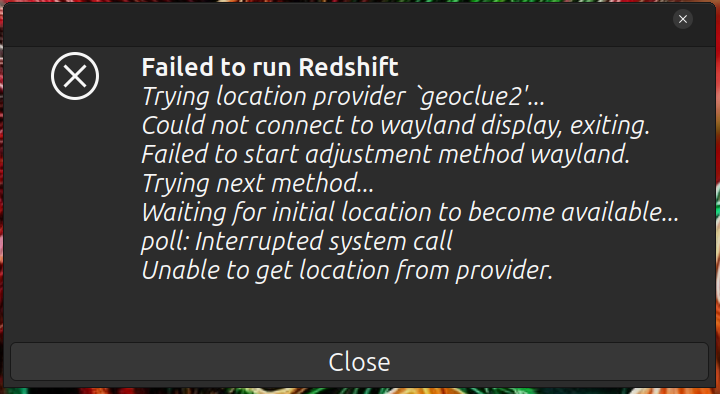
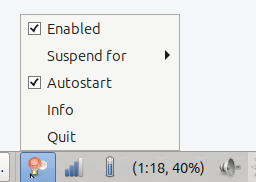
When launching from apps menu I get an indicator on the panel that lets me enable/disable,suspend,enable/disable autostart,get info or quit.Outside of that it does nothing and if I choose to quit I get this error message:

When I launch from the cli I get this output:

Trying location provider `geoclue2'...
Using provider `geoclue2'.
Could not connect to wayland display, exiting.
Failed to start adjustment method wayland.
Trying next method...
Using method `randr'.
Waiting for initial location to become available...


The initial location never becomes available and it just hangs indefinitely.

And if I launch it as root I get this output:

Trying location provider `geoclue2'...
Using provider `geoclue2'.
error: XDG_RUNTIME_DIR is invalid or not set in the environment.
Could not connect to wayland display, exiting.
Failed to start adjustment method wayland.
Trying next method...
Authorization required, but no authorization protocol specified

`RANDR Query Version' returned error -1
Initialization of randr failed.
Trying next method...
Authorization required, but no authorization protocol specified

X request failed: XOpenDisplay
Initialization of vidmode failed.
Trying next method...
No more methods to try.

And this is pretty much how it's always been so I simply gave up and started using ayatana-indicator-display as it does what I need it to do.

1 Like

It is Wayland. I have never installed it on a Wayland system as I have not had one yet. Redhshift hasn't been updated and it seems like it won't be updated.

Redshift: Works only in X11 sessions and does not support Wayland environments.

Redshift is Deprecated and no longer maintained anymore. Use gammastep As Replacement In Future Releases #174

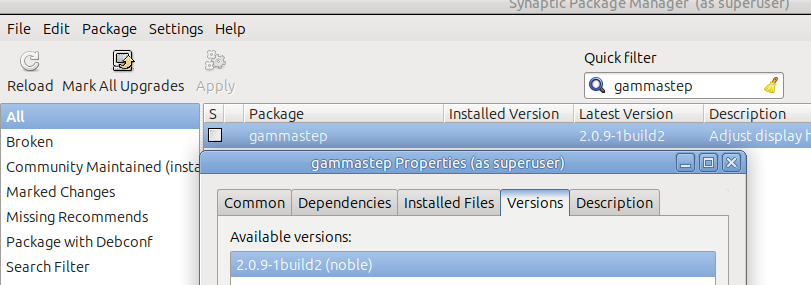
gammastep in in the repository for 2.0.9-1 (noble)

2 Likes

I'm using UM 24.04 running X11 session. Tried gammastep some time back which wasn't very useful either.

1 Like

I have not had to try it yet, but I need some kind of red light software. I will have to wait and see, but for now I am sticking with 24.04 and X11. I will see how Ubuntu Pro lasts.

1 Like

I hadn't heard of ayatana-indicator-display and see it is not installed by default.

I couldn't find much on it's capabilities and the wiki-page would not load. Does it color shift from blue to red light? If so what are the settings?

1 Like

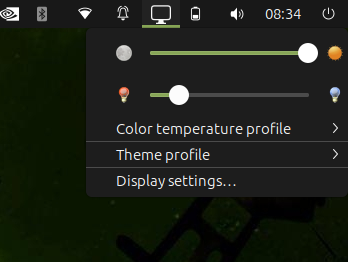
As far as settings go in the drop down menu under Color temperature profile> there are several settings that allow for manual or adaptive.

Screenshot at 2026-01-24 08-24-36Easiest thing to do is just install it,when you click on the monitor icon in the panel the drop down menu is simple.
1 Like

Oop - no; that's the MATE display manager. It does look like ayatana-indicator-display supports colour profiles:

1 Like

That it certainly does.

1 Like

Can confirm that NEITHER gammastep NOR ayatana do anything. Even in the control center there are no settings to change the colour at nighttime.

And simple things like clicking on a file in Caja to send it by email (opens new email, but no file attached) are not working either.

Everything else works fine.

Weird.

1 Like

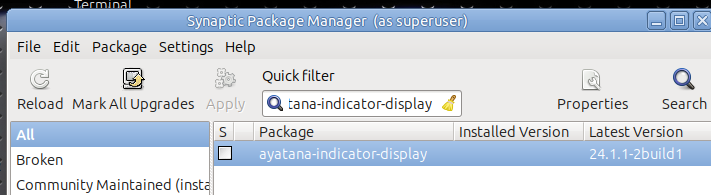
Have made you sure that ayatana-indicator-display is installed as it's not installed by default?You would have to search it in Synaptic exactly like that or sudo apt install ayatana-indicator-display. It works perfectly on my 24.04 install.

1 Like