I’m an end user with limited technical knowledge. On Ubuntu MATE 20.04, my printer is working but the print results don’t seem correct. Colors look uneven and the alignment isn’t as clean as it used to be.
Before changing drivers or reinstalling anything, I want to confirm whether this is a color, alignment, or ink-related issue. I’m looking for a simple way to check the output properly on Ubuntu MATE.
I tried printing a basicprinter test page from the browser, which helped me see the problem more clearly, but I’m not sure if there’s a better Linux-specific method.
If anyone has faced something similar or can suggest the right troubleshooting steps, I’d really appreciate the help.
You do realize Ubuntu MATE 20.04 LTS is End of Life
Further Ubuntu 20.04 LTS is End of Standard Support with Ubuntu support End of Life, with ESM provided only by Canonical.
This won't be an issue for you if you're keeping the system offline of course, but if you're using a network connection and/or internet, you need to take advantage of your Canonical provided support options if you took them up.
I hope you also read & actioned the Security Notices that applied to 20.04, and converted the deb packages that are now only supported via snap packages; as that impacted desktop users which applies of course to Ubuntu MATE (being a desktop system).
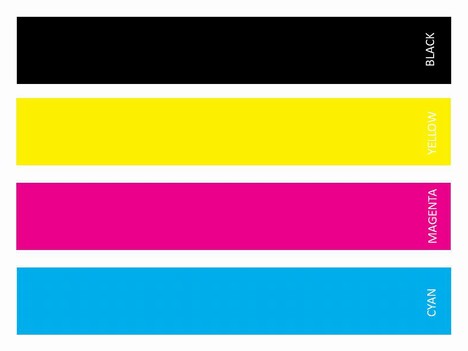
I am a printer engineer. Can you print a demo or supplies status page from the printers control panel, if you can get a test page with yellow, magenta, cyan and black stripes across the page that’s great.
From my point of view for troubleshooting, most of those websites with printer test pages are absolute junk, you could try saving this image and printing that.
You mentioned “ink“, inkjet printers are prone to the printheads drying up if not used regularly.
Colour alignment usually affects laser printers more than inkjet.
As others have said make and model would be useful.
Well, to determine the cause of the problem, you better to print test page from the printer itself. Printing it from the browser doesnt distinguish the source of the problem, because its from Ubuntu MATE. But yes as mentioned below, the exact model of the printer would be appreciated, because some models are not Linux compatible.