Specifying and Installing Minimalist UbuntuMATE

I will direct you to two previous postings for reference as preamble to my question:

Also, this refeence:


My Question:

What is the sequence that would provide a properly functional UbuntuMATE environment ... without installing any of the default, non-OS, "Application Suite"?


In my view, that bare-bones MATE environment would include:

  • Control Center and associated Apps
  • MATE Tweek
  • MATE Screenshot
  • MATE Terminal
  • MATE System Monitor
  • Panel App
  • Caja
  • Apt (Apt Offline?)
  • Disks
  • GParted
  • inxi
  • Hardinfo2
  • Firmware Updater

... but, for me, would exclude all non-OS Applications, like

  • all the games
  • Firefox
  • Thunderbird
  • LibreOffice
  • Gimp
  • Document Scanner
  • Synaptic
  • Marble
  • GNU Octave
  • Blender
  • Chromium
  • Transmission
  • Liferea
  • Atril
  • Document Reader
  • LibreOffice
  • Calibre
  • Foliate
  • Manuskript
  • MATE Dictionary
  • Okular
  • Scribus
  • Sigil
  • Builder
  • CodeLite
  • Geany
  • IDLE
  • Sequeler
  • Sysprof
  • Audacious
  • Audacity
  • Celluloid
  • CD Player
  • Clementine
  • Handbrake
  • MakeMKV
  • Kazaam
  • Pitivi
  • Rhythmbox
  • VLC
  • Vokoscreen
  • WinFF
  • PCManFM
  • Conky
  • EtherApe
  • GSmartControl
2 Likes

Depends how bare-bones you're going, starting from a 'base' Ubuntu (no GUI):

  • :mate: mate-desktop - the absolute minimum (bring your own apps, almost DIY)
  • :mate: mate-desktop-environment - for a comfortable OS (calculator, file manager, screensaver, etc)
  • :ubuntu_mate: ubuntu-mate-core - equivalent to the Minimal install option.
    • That brings the things that makes Ubuntu MATE, Ubuntu MATE (artwork, printer support, ayatana indicators, arctica greeter)
  • :ubuntu_mate: ubuntu-mate-desktop equivalent to the Full install option.
    • That adds everything else like Firefox (snap), LibreOffice, accessibility, etc.

You're probably looking for ubuntu-mate-core, or the "Minimal" install option.


If you went bare bones with mate-desktop, all you get is:

[user@a1001ef60882 ~]$ mate-
mate-about         mate-color-select  

But it depends: For space saving? Or more like an optimised "from scratch, just what I need" kind of thing?

If you did go with a minimal mate-desktop with Ubuntu MATE configuration, then you might want ubuntu-mate-default-settings, but I'm not sure how that'll play out with almost nothing and a configuration seeking indicators that cannot be found.


Quick test using the Ubuntu Docker image (26.04, 'latest') - similar to a mini ISO.

Obviously in a containerised environment, I can't test the desktop environment, but package wise, this is what it'll install:

mate-desktop (+781 MB)

[user@a1001ef60882 ~]$ sudo apt install mate-desktop
Reading package lists... Done
Building dependency tree... Done
Reading state information... Done
The following additional packages will be installed:
  adwaita-icon-theme alsa-topology-conf alsa-ucm-conf aspell aspell-en at-spi2-common at-spi2-core
  bsdextrautils bubblewrap dbus dbus-bin dbus-daemon dbus-session-bus-common
  dbus-system-bus-common dbus-user-session dconf-gsettings-backend dconf-service
  dictionaries-common dmsetup docbook-xml emacsen-common enchant-2 fontconfig fontconfig-config
  fonts-dejavu-core fonts-dejavu-mono fuse3 gir1.2-girepository-2.0 gir1.2-glib-2.0
  glib-networking glib-networking-common glib-networking-services groff-base
  gsettings-desktop-schemas gstreamer1.0-gl gstreamer1.0-plugins-base gstreamer1.0-plugins-good
  gstreamer1.0-x gtk-update-icon-cache hicolor-icon-theme humanity-icon-theme hunspell-en-us
  iso-codes libaa1 libargon2-1 libasound2-data libasound2t64 libaspell15 libasyncns0
  libatk-bridge2.0-0t64 libatk1.0-0t64 libatomic1 libatspi2.0-0t64 libavahi-client3
  libavahi-common-data libavahi-common3 libavc1394-0 libcaca0 libcairo-gobject2 libcairo2
  libcap2-bin libcdparanoia0 libcolord2 libcryptsetup12 libcups2t64 libdatrie1 libdbus-1-3
  libdconf1 libdeflate0 libdevmapper1.02.1 libdrm-amdgpu1 libdrm-common libdrm-intel1 libdrm2
  libduktape207 libdv4t64 libdw1t64 libegl-mesa0 libegl1 libelf1t64 libenchant-2-2 libepoxy0
  libevdev2 libfdisk1 libflac12t64 libfontconfig1 libfreetype6 libfribidi0 libfuse3-3 libgbm1
  libgdk-pixbuf-2.0-0 libgdk-pixbuf2.0-bin libgdk-pixbuf2.0-common libgirepository-1.0-1 libgl1
  libgl1-mesa-dri libgles2 libglib2.0-0t64 libglib2.0-data libglvnd0 libglx-mesa0 libglx0 libgpm2
  libgraphene-1.0-0 libgraphite2-3 libgstreamer-gl1.0-0 libgstreamer-plugins-base1.0-0
  libgstreamer-plugins-good1.0-0 libgstreamer1.0-0 libgtk-3-0t64 libgtk-3-bin libgtk-3-common
  libgudev-1.0-0 libhandy-1-0 libharfbuzz-icu0 libharfbuzz0b libhunspell-1.7-0 libhyphen0 libicu74
  libiec61883-0 libjavascriptcoregtk-4.1-0 libjbig0 libjpeg-turbo8 libjpeg8 libjson-c5
  libjson-glib-1.0-0 libjson-glib-1.0-common libkmod2 liblcms2-2 liblerc4 libllvm20
  libmanette-0.2-0 libmate-desktop-2-17t64 libmp3lame0 libmpg123-0t64 libncurses6 libnss-systemd
  libogg0 libopus0 liborc-0.4-0t64 libpam-cap libpam-systemd libpango-1.0-0 libpangocairo-1.0-0
  libpangoft2-1.0-0 libpciaccess0 libpipeline1 libpipewire-0.3-0t64 libpipewire-0.3-common
  libpixman-1-0 libpng16-16t64 libproxy1v5 libpulse0 libpython3-stdlib libpython3.12-minimal
  libpython3.12-stdlib libraw1394-11 libreadline8t64 librsvg2-2 librsvg2-common libsecret-1-0
  libsecret-common libsensors-config libsensors5 libsharpyuv0 libshout3 libslang2 libsndfile1
  libsoup-3.0-0 libsoup-3.0-common libspa-0.2-modules libspeex1 libsqlite3-0
  libstartup-notification0 libsystemd-shared libtag1v5 libtag1v5-vanilla libtext-iconv-perl
  libthai-data libthai0 libtheora0 libtiff6 libtwolame0 libuchardet0 libunwind8 libv4l-0t64
  libv4lconvert0t64 libvisual-0.4-0 libvorbis0a libvorbisenc2 libvpx9 libvulkan1 libwavpack1
  libwayland-client0 libwayland-cursor0 libwayland-egl1 libwayland-server0 libwebkit2gtk-4.1-0
  libwebp7 libwebpdemux2 libwebpmux3 libwebrtc-audio-processing1 libwoff1 libx11-xcb1
  libxcb-dri3-0 libxcb-glx0 libxcb-present0 libxcb-randr0 libxcb-render0 libxcb-shm0 libxcb-sync1
  libxcb-util1 libxcb-xfixes0 libxcomposite1 libxcursor1 libxdamage1 libxfixes3 libxi6
  libxinerama1 libxkbcommon0 libxml2 libxrandr2 libxrender1 libxshmfence1 libxslt1.1 libxtst6
  libxv1 libxxf86vm1 libyelp0 lsb-release man-db mate-desktop-common mate-user-guide media-types
  mesa-libgallium mesa-vulkan-drivers networkd-dispatcher python3 python3-dbus python3-distro
  python3-gi python3-minimal python3.12 python3.12-minimal readline-common session-migration
  sgml-base sgml-data shared-mime-info systemd systemd-dev systemd-resolved systemd-sysv
  systemd-timesyncd tzdata ubuntu-mono x11-common xdg-dbus-proxy xdg-desktop-portal
  xdg-desktop-portal-gtk xdg-user-dirs xkb-data xml-core yelp yelp-xsl
Suggested packages:
  aspell-doc spellutils wordlist docbook docbook-dsssl docbook-xsl docbook-defguide groff gvfs
  hunspell openoffice.org-hunspell | openoffice.org-core isoquery alsa-utils libasound2-plugins
  colord cups-common libdv-bin oss-compat libenchant-2-voikko low-memory-monitor gpm
  libvisual-0.4-plugins gstreamer1.0-tools liblcms2-utils opus-tools pciutils pipewire pulseaudio
  libraw1394-doc librsvg2-bin lm-sensors speex gstreamer1.0-libav gstreamer1.0-plugins-bad
  gstreamer1.0-alsa apparmor www-browser mate-desktop-environment iw | wireless-tools python3-doc
  python3-tk python3-venv python-dbus-doc python3.12-venv python3.12-doc binutils binfmt-support
  readline-doc sgml-base-doc perlsgml w3-recs opensp libxml2-utils systemd-container systemd-homed
  systemd-userdbd systemd-boot libip4tc2 libqrencode4 libtss2-esys-3.0.2-0 libtss2-mu-4.0.1-0
  libtss2-rc0 libtss2-tcti-device0 polkitd accountsservice evince xdg-desktop-portal-gnome
  debhelper
The following NEW packages will be installed:
  adwaita-icon-theme alsa-topology-conf alsa-ucm-conf aspell aspell-en at-spi2-common at-spi2-core
  bsdextrautils bubblewrap dbus dbus-bin dbus-daemon dbus-session-bus-common
  dbus-system-bus-common dbus-user-session dconf-gsettings-backend dconf-service
  dictionaries-common dmsetup docbook-xml emacsen-common enchant-2 fontconfig fontconfig-config
  fonts-dejavu-core fonts-dejavu-mono fuse3 gir1.2-girepository-2.0 gir1.2-glib-2.0
  glib-networking glib-networking-common glib-networking-services groff-base
  gsettings-desktop-schemas gstreamer1.0-gl gstreamer1.0-plugins-base gstreamer1.0-plugins-good
  gstreamer1.0-x gtk-update-icon-cache hicolor-icon-theme humanity-icon-theme hunspell-en-us
  iso-codes libaa1 libargon2-1 libasound2-data libasound2t64 libaspell15 libasyncns0
  libatk-bridge2.0-0t64 libatk1.0-0t64 libatomic1 libatspi2.0-0t64 libavahi-client3
  libavahi-common-data libavahi-common3 libavc1394-0 libcaca0 libcairo-gobject2 libcairo2
  libcap2-bin libcdparanoia0 libcolord2 libcryptsetup12 libcups2t64 libdatrie1 libdbus-1-3
  libdconf1 libdeflate0 libdevmapper1.02.1 libdrm-amdgpu1 libdrm-common libdrm-intel1 libdrm2
  libduktape207 libdv4t64 libdw1t64 libegl-mesa0 libegl1 libelf1t64 libenchant-2-2 libepoxy0
  libevdev2 libfdisk1 libflac12t64 libfontconfig1 libfreetype6 libfribidi0 libfuse3-3 libgbm1
  libgdk-pixbuf-2.0-0 libgdk-pixbuf2.0-bin libgdk-pixbuf2.0-common libgirepository-1.0-1 libgl1
  libgl1-mesa-dri libgles2 libglib2.0-0t64 libglib2.0-data libglvnd0 libglx-mesa0 libglx0 libgpm2
  libgraphene-1.0-0 libgraphite2-3 libgstreamer-gl1.0-0 libgstreamer-plugins-base1.0-0
  libgstreamer-plugins-good1.0-0 libgstreamer1.0-0 libgtk-3-0t64 libgtk-3-bin libgtk-3-common
  libgudev-1.0-0 libhandy-1-0 libharfbuzz-icu0 libharfbuzz0b libhunspell-1.7-0 libhyphen0 libicu74
  libiec61883-0 libjavascriptcoregtk-4.1-0 libjbig0 libjpeg-turbo8 libjpeg8 libjson-c5
  libjson-glib-1.0-0 libjson-glib-1.0-common libkmod2 liblcms2-2 liblerc4 libllvm20
  libmanette-0.2-0 libmate-desktop-2-17t64 libmp3lame0 libmpg123-0t64 libncurses6 libnss-systemd
  libogg0 libopus0 liborc-0.4-0t64 libpam-cap libpam-systemd libpango-1.0-0 libpangocairo-1.0-0
  libpangoft2-1.0-0 libpciaccess0 libpipeline1 libpipewire-0.3-0t64 libpipewire-0.3-common
  libpixman-1-0 libpng16-16t64 libproxy1v5 libpulse0 libpython3-stdlib libpython3.12-minimal
  libpython3.12-stdlib libraw1394-11 libreadline8t64 librsvg2-2 librsvg2-common libsecret-1-0
  libsecret-common libsensors-config libsensors5 libsharpyuv0 libshout3 libslang2 libsndfile1
  libsoup-3.0-0 libsoup-3.0-common libspa-0.2-modules libspeex1 libsqlite3-0
  libstartup-notification0 libsystemd-shared libtag1v5 libtag1v5-vanilla libtext-iconv-perl
  libthai-data libthai0 libtheora0 libtiff6 libtwolame0 libuchardet0 libunwind8 libv4l-0t64
  libv4lconvert0t64 libvisual-0.4-0 libvorbis0a libvorbisenc2 libvpx9 libvulkan1 libwavpack1
  libwayland-client0 libwayland-cursor0 libwayland-egl1 libwayland-server0 libwebkit2gtk-4.1-0
  libwebp7 libwebpdemux2 libwebpmux3 libwebrtc-audio-processing1 libwoff1 libx11-xcb1
  libxcb-dri3-0 libxcb-glx0 libxcb-present0 libxcb-randr0 libxcb-render0 libxcb-shm0 libxcb-sync1
  libxcb-util1 libxcb-xfixes0 libxcomposite1 libxcursor1 libxdamage1 libxfixes3 libxi6
  libxinerama1 libxkbcommon0 libxml2 libxrandr2 libxrender1 libxshmfence1 libxslt1.1 libxtst6
  libxv1 libxxf86vm1 libyelp0 lsb-release man-db mate-desktop mate-desktop-common mate-user-guide
  media-types mesa-libgallium mesa-vulkan-drivers networkd-dispatcher python3 python3-dbus
  python3-distro python3-gi python3-minimal python3.12 python3.12-minimal readline-common
  session-migration sgml-base sgml-data shared-mime-info systemd systemd-dev systemd-resolved
  systemd-sysv systemd-timesyncd tzdata ubuntu-mono x11-common xdg-dbus-proxy xdg-desktop-portal
  xdg-desktop-portal-gtk xdg-user-dirs xkb-data xml-core yelp yelp-xsl
0 upgraded, 266 newly installed, 0 to remove and 0 not upgraded.
Need to get 169 MB of archives.
After this operation, 781 MB of additional disk space will be used.

With no install recommends (+172 MB)

[user@ff9d9355db73 ~]$ sudo apt install --no-install-recommends mate-desktop
[sudo] password for user: 
Reading package lists... Done
Building dependency tree... Done
Reading state information... Done
The following additional packages will be installed:
  adwaita-icon-theme at-spi2-common dbus dbus-bin dbus-daemon dbus-session-bus-common
  dbus-system-bus-common dbus-user-session dconf-gsettings-backend dconf-service fontconfig
  fontconfig-config fonts-dejavu-core fonts-dejavu-mono gtk-update-icon-cache hicolor-icon-theme
  humanity-icon-theme iso-codes libargon2-1 libatk-bridge2.0-0t64 libatk1.0-0t64 libatspi2.0-0t64
  libavahi-client3 libavahi-common-data libavahi-common3 libcairo-gobject2 libcairo2 libcolord2
  libcryptsetup12 libcups2t64 libdatrie1 libdbus-1-3 libdconf1 libdeflate0 libdevmapper1.02.1
  libepoxy0 libfdisk1 libfontconfig1 libfreetype6 libfribidi0 libgdk-pixbuf-2.0-0
  libgdk-pixbuf2.0-common libglib2.0-0t64 libgraphite2-3 libgtk-3-0t64 libgtk-3-common
  libharfbuzz0b libicu74 libjbig0 libjpeg-turbo8 libjpeg8 libjson-c5 libkmod2 liblcms2-2 liblerc4
  libmate-desktop-2-17t64 libpam-systemd libpango-1.0-0 libpangocairo-1.0-0 libpangoft2-1.0-0
  libpixman-1-0 libpng16-16t64 libsharpyuv0 libstartup-notification0 libsystemd-shared
  libthai-data libthai0 libtiff6 libwayland-client0 libwayland-cursor0 libwayland-egl1 libwebp7
  libx11-xcb1 libxcb-render0 libxcb-shm0 libxcb-util1 libxcomposite1 libxcursor1 libxdamage1
  libxfixes3 libxi6 libxinerama1 libxkbcommon0 libxml2 libxrandr2 libxrender1 mate-desktop-common
  shared-mime-info systemd systemd-dev systemd-sysv ubuntu-mono xkb-data
Suggested packages:
  isoquery colord cups-common low-memory-monitor gvfs liblcms2-utils mate-desktop-environment
  systemd-container systemd-homed systemd-userdbd systemd-boot libip4tc2 libqrencode4
  libtss2-esys-3.0.2-0 libtss2-mu-4.0.1-0 libtss2-rc0 libtss2-tcti-device0 polkitd
Recommended packages:
  librsvg2-common at-spi2-core dmsetup libgdk-pixbuf2.0-bin libglib2.0-data xdg-user-dirs
  libgtk-3-bin mate-user-guide networkd-dispatcher systemd-timesyncd | time-daemon
  systemd-resolved libnss-systemd
The following NEW packages will be installed:
  adwaita-icon-theme at-spi2-common dbus dbus-bin dbus-daemon dbus-session-bus-common
  dbus-system-bus-common dbus-user-session dconf-gsettings-backend dconf-service fontconfig
  fontconfig-config fonts-dejavu-core fonts-dejavu-mono gtk-update-icon-cache hicolor-icon-theme
  humanity-icon-theme iso-codes libargon2-1 libatk-bridge2.0-0t64 libatk1.0-0t64 libatspi2.0-0t64
  libavahi-client3 libavahi-common-data libavahi-common3 libcairo-gobject2 libcairo2 libcolord2
  libcryptsetup12 libcups2t64 libdatrie1 libdbus-1-3 libdconf1 libdeflate0 libdevmapper1.02.1
  libepoxy0 libfdisk1 libfontconfig1 libfreetype6 libfribidi0 libgdk-pixbuf-2.0-0
  libgdk-pixbuf2.0-common libglib2.0-0t64 libgraphite2-3 libgtk-3-0t64 libgtk-3-common
  libharfbuzz0b libicu74 libjbig0 libjpeg-turbo8 libjpeg8 libjson-c5 libkmod2 liblcms2-2 liblerc4
  libmate-desktop-2-17t64 libpam-systemd libpango-1.0-0 libpangocairo-1.0-0 libpangoft2-1.0-0
  libpixman-1-0 libpng16-16t64 libsharpyuv0 libstartup-notification0 libsystemd-shared
  libthai-data libthai0 libtiff6 libwayland-client0 libwayland-cursor0 libwayland-egl1 libwebp7
  libx11-xcb1 libxcb-render0 libxcb-shm0 libxcb-util1 libxcomposite1 libxcursor1 libxdamage1
  libxfixes3 libxi6 libxinerama1 libxkbcommon0 libxml2 libxrandr2 libxrender1 mate-desktop
  mate-desktop-common shared-mime-info systemd systemd-dev systemd-sysv ubuntu-mono xkb-data
0 upgraded, 94 newly installed, 0 to remove and 0 not upgraded.
Need to get 38.8 MB of archives.
After this operation, 172 MB of additional disk space will be used.
7 Likes

Thank you, Luke! That's exactly the information I was looking for. The winner is ...

  • ubuntu-mate-desktop

To confirm, the sequence to use would be as follows:

[1] Install "Ubuntu mini ISO" ... from

[2] Install minimal MATE-related

sudo apt-get install tasksel

sudo tasksel install ubuntu-mate-desktop

Is that correct?


My "Grand Plan" ...

My intent is to take some time to dive in and understand the various "ISO builder" tools out there and, once I have my environment finalized, create a set of scripts that would allow me to create a "logical snapshot" of the pieces that I have customized, and have that apply an overlay of an on-disk ISO image, so that an install will rebuild that customized environment with whichever version of Ubuntu comes along.

I am planning to review each of the following, to see what "code pearls" I could harvest for re-targetting to my purposes:

  • Distroshare
  • Ubuntu Imager
  • UCK
  • Cubic
  • Respin
  • Remastersys

Given that intended purpose, I don't know why a robust tool, which performs that very function (applying a customized overlay onto a Distro install ISO), doesn't already exist.

I had previously attempted to use the "Ubuntu Imager", but that was a flop. It was so long ago, I can't remember why.

This time around, I have the time on my hands, so I plan to pursue that to its proper completion. I just don't know how long it will take me.

(I hesitate to pursue the Nix/Hydra approach without having an actual working reference model, to see what is done and how, for comparison. Even though everything that has been shared by Martin thru the Ubuntu Discourse seems very promising, I honestly don't have the sense of confidence in my ability to learn that "ecosystem" from scratch. I always try to work from abstractions, wherever possible, but I fear the language used for the description of those abstractions for Nix may be too abstract for me, even though I haven't dug into that so far. I will give that a quick look ... during the next few days before I finalize my decision to avoid that approach ... until after I constructed a first tool using my intended BASH approach. I am trying to avoid a full Distro build from source code libraries, in order to maintain the flexibility that referencing a pre-existing Distro image would provide. :slight_smile: )


Would you know if "Yocto" is more along the lines of a source-based system? Or is it more a "middleware" option like what "Nix" seems to offer?


PHASE I - Structured download of BUILD-related files

1 Like

If minimal is what you're aiming for - no, that's essentially the full Ubuntu MATE desktop. At that point, you might as well just install Ubuntu MATE ISO and run a script afterwards (e.g. curl from GitHub, pipe to bash) that sets up your tailored "post-install" commands (files, packages, etc) - if that's the goal.

You can use packages.ubuntu.com to see what packages depend on, like ubuntu-mate-desktop in 26.04). The "minimal" Ubuntu MATE package is ubuntu-mate-core.


I'm afraid I don't have experience with these tools, or source-based distros. I have used Archiso :arch: and cloud-init (developed by Canonical, :ubuntu:).

Although cloud-init is designed for cloud/servers/VMs, it could work for desktop too. That seems closer to "from nothing" to "my defined environment" - and you don't mind a small bit of abstraction (a YAML file). It's standard so many distros support it, so tweaking to work under other distros should be trivial. I'd suggest taking a look into cloud-init / unattended installations if that's the goal.

3 Likes

So, are you confirming that ubuntu-mate-desktop includes things like Firefox, etc., in that "minimalist" specification for ubuntuMATE?

Would installing the basic non-Ubuntu "MATE Desktop" package on top of the "mini-iso" do the trick? Or are you aware of any incompatibilities even at that level?


I am only looking to simplify portability of Personal Desktop from release to release, but NOT do so via the "upgrade" command.

I would rather install a fresh Distro image then add the overlays for my customized setup. Unfortunately, that always takes a lot of manual effort, which I would like to "codify".

I'm just trying to find a way to facilitate a more comprehensive and structured the re-targeting of the personalizations, from release to release, as well as clearly segregate what is "individual" from what is "system", so that if the need came to re-targeting onto a different platform (i.e xubuntu, ubuntu, etc.), the details of the "customization" are clearly documented and segregated, to assess/plan the hopefully not necessary migration.

At this point, I have to say that I am "reading the tea leaves" ... and fear such a migration may inevitable, unless there are more signs of life from the Development Team.

I don't know for sure, but the daily builds "seem" to be bundled by previously established automated packaging and delivery process ... which will break, or not cover gaps, if the core Ubuntu code "shifts" to enable as-yet unidentified capabilities or features.


I have never worked with "virtualized" environments, and I have never felt the need, for the context of a home-based personal desktop. Without knowing the details, I am not sure how that "clout-init" would be workable, or practical, for me. I just don't know. :frowning:

1 Like

Yes, it's listed on the package page (or under "Dependencies" in Synaptic):

firefox [amd64, arm64, armhf]
Installs Firefox snap and provides some system integration

... ah yes, I forgot: That's a snap!

Feels like the wrong question. mate-desktop[-environment] is just the vanilla MATE desktop before Ubuntu MATE's customisation. I did a minor edit to my post above to clarify those package names and what they bring.

From the sound of things, you'll probably want a "Minimal" install of Ubuntu MATE but ready-to-go with your tweaks, especially if you're using them to test daily builds, but not as far as a minimal "it's a super lightweight MATE on Ubuntu" kind of thing.

This could be a great opportunity to use virtual machine could test your set up before deploying on real hardware!

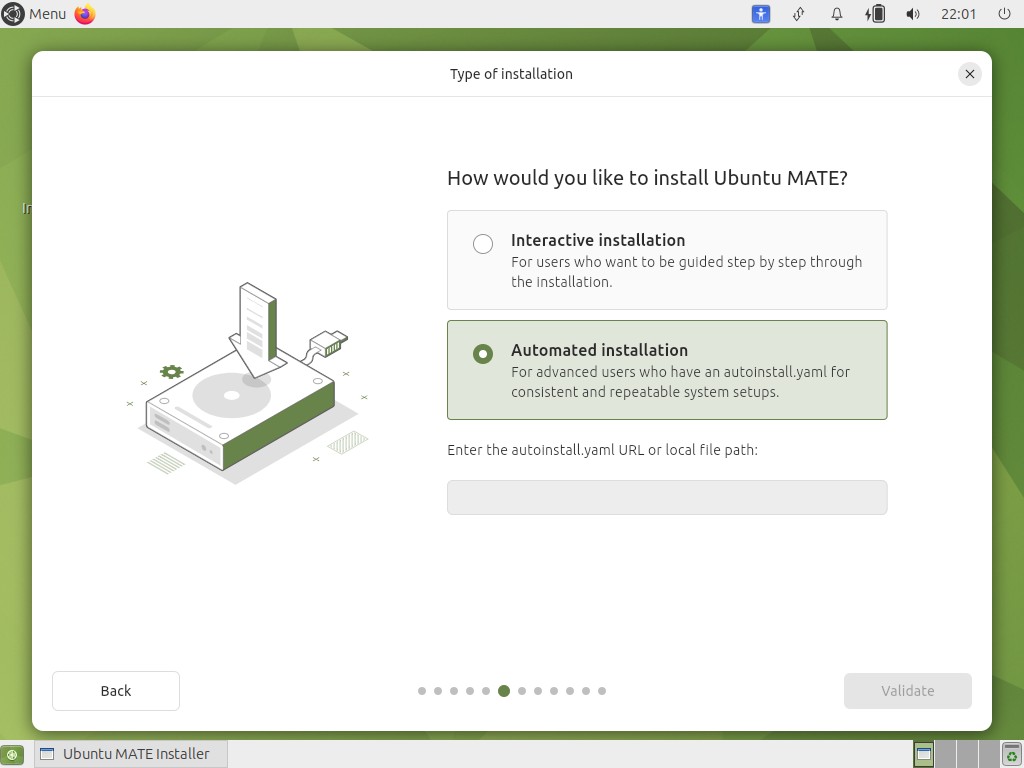
By the way, during the installation process - there is an option for an Automated Installation.

You could set up this YAML and carry it on a USB drive or store it on GitHub to type out as a URL. Similar to cloud-init, but designed for the installer. That way, you're not generating your own ISOs but telling the installer what exactly to install.

The specification for this can be found here:

3 Likes

Thank you, Luke!

Lots to dig into and digest. I will need some time for that. I hope you won't mind if I come back here in about a week or two.

1 Like

I've not used this option before, but in principle, this seems to be what you're looking for.

It's well-documented, and you might be able to only include what you need in your file. (For example, if you don't have a static network configuration, skip the network: part).

Just to bear in mind, YAML is picky about indentation.

Tutorial

Depending on how the installation media is prepared (a USB drive), the installer can pick up the autoinstall.yaml file and automate installation that way too.

You're always welcome to ask (or share your results).

1 Like

Just sharing the disappointment from my discovery:

  • ubuntu-mini-iso ... is NOT ... a stripped-down Ubuntu OS !!!

So ... now I have to consider trying to locate a minimalist server configuration, whose only functions are

  • networking
    (a.k.a. DNS services)

  • firewall
    (to protect the services on that box,
    not act as a border gateway to a LAN and its clients)

I hope there is such a beast, or at least an Ubuntu server ISO which will prompt yes/no for each and every possible server-based service, prior to installing if the response is "yes"!

To use language from my past career, I am looking for a server ISO that allows Admin selection which toggles the installation and enablement of the individual services that will be provisionned on that server (which will become my desktop).

I hope there is such a beast!

:slight_smile:

1 Like

I've downloaded the Daily Build for the ubuntu-server.

When I look at the files listed under /casper, I see the filenames with the prefix

  • ubuntu-server-minimal.*

Can anyone tell me if that is the minimal OS that I was looking to overlay with MATE-only extras?

1 Like

I'd suggest checking /casper/filesystem.manifest if it's the right one for you. That file lists the packages that are installed in that image.

These are typically available online too, e.g. ubuntu-25.10-live-server-amd64.iso's .manifest file shows many packages, including snaps. People might consider Ubuntu Server as "minimal".

The truly minimal images are designed for cloud deployments:

Ubuntu Minimal Cloud Images are official Ubuntu images and are pre-installed disk images that have been customized by Ubuntu engineering to have a small runtime footprint in order to increase workload density in environments where humans are not expected to log in.

https://cloud-images.ubuntu.com/minimal/releases/

They're also .img files. Ubuntu Minimal is described on the wiki:

To be fair, I only just learnt of this now. It makes sense if it's a base for their Docker and server images. It can still be a useful starting point for a desktop environment.

e.g. ubuntu-25.10-minimal-cloudimg-amd64.manifest have a much smaller package set.

2 Likes

In your chasing a minimalist Ubuntu MATE install, don't forget to QA test for some of the known issues that have already been resolved by package installs, that you may actually be re-introducing; eg. many apps include a F1 type HELP key that goes online, which is why a dependency rule exists for web browser; as otherwise lots of unwanted and unhelpful stuff can get dragged in.

That actual issue was resolved by including the firefox browser in the seed files; ie. https://ubuntu-archive-team.ubuntu.com/seeds/ubuntu-mate.resolute/core for Ubuntu MATE resolute etc.

I have found the seed files useful in doing research, but I've not noted it in prior conversation (but I could have missed it).

Also do note deb dependencies are release specific, as software changes over time. What rules may apply perfectly to one release, may not apply, or more likely only mostly apply to other releases.

These deb rules can change due to new MATE version being fed into upstream sid and flowing down to our repositories, OR changes made by other packages managed by other teams; so I'll suggest you cannot assume if it works on one release, it'll work in the next or prior releases.

GTK2 is being removed in sid prior to forky release if you'd not noticed; thus some effects of this I've recently seen flowing thru into this Ubuntu resolute system here in the last few days; as the Xubuntu/Xfce team work to adjust 'things' so they can still use what they need in resolute for the (X)Ubuntu 26.04 LTS release. Software changes, and with Ubuntu these changes occur between releases.


Clarification: A reading of what I wrote in reference to bug maybe read as unwanted packages being pulled in with an apt install type command; in the bug mentioned (if I recall correctly), this was happening during ISO build, and may NOT have occurred with end users IN THAT CASE, but firefox gets pulled in for many apps as I described to satisfy HELP to view online pages; whilst it doesn't need to be firefox specifically; any of the deb requirements packages can be installed; but that is often a small list (and will almost never include third party browsers like brave, google-chrome etc). Changes made by the Xubuntu team thus far could also be seen as 'future proofing' their system for 26.10 & later, as currently there is no expectation that GTK2 will be removed fully in resolute/26.04.

4 Likes

What exactly is a "seed" file and how does that drive the process to "bundle" the various packages into an ISO build?

Is there a "standalone" tool which would use such "seed" files as input and allow me to build such an ISO, having no source code directories locally (a.k.a. GitHub libraries), other than a specified location containing the DEB package files for the identified packages?


Thank you, Chris!

Again, much new important material that I need to digest and understand. Firefox is my current network "Land Rover", although I have considered adopting another that was recommended, LibreWolf, but haven't fully investigated that.

The points and topics both you and Luke have raised tell me I haven't fully communicated the how of what I intended to do. So ... here it is ...

My intent is to

  • identify that minimal Distro
    (assuming the set of {main|multiverse|universe} packages that are usually associated with UbuntuMATE are also accessible from that minimal Distro)

  • install the packages from the Distro repository,
    NOT directly from the App publisher's site.

Absolutely, the MATE Desktop will come from an Ubuntu repository, but this journey I am initiating assumes that it will NOT come from the UbuntuMATE distro.

I am trying to flesh out a method/process by which I myself (and potentially any other member of this Community) could apply in order to build an UbuntuMATE-like environment, from "stock parts" available in Ubuntu repositories, in the event that UbuntuMATE itself doesn't manage to attract new "blood" having the inspiration and passion to sustain and evolve our environment of choice! For me, that implies using the lowest common denominator which would be most "accessible" (customizable) to the general Community at large, as the facilitator: namely, the shell, specifically, the Bourne or Bash shells.

While I don't use them often (rarely in fact), the only packages I intend to download directly from those App publisher sites are the following:

  • FreeCAD
    (my explorations into geodesics)

  • Calibre
    (my conversions to PDF of downloaded ePUBs)

  • Okular
    (my "markup" and "note-making" of PDF files)

  • Sigil
    (my "packaging" of favoured e-books into a personalized structure and CSS)

  • Transmission
    (preferred torrent downloader until I can find a better one)

I haven't compiled the list yet, but I have a number of non-standard Linux utilities which I have downloaded directly from publisher/developer sites. For the most part, I don't expect those to be problematic. :slight_smile:

For my "Personal Productivity Suite", the packages that must come direct from source are:

  • Firefox (deb)

  • Thunderbird (deb)

  • Canon Printer Setup
    (for ImageCLASS MF3010)

Hope that clarifies the scope of my intended "adventure".

1 Like

( Alas just like my last reply; I'm time limited, so I'll provide a quick response only here, it maybe thus somewhat limited ; or need clarification like I had to do last time )

I gave a response to a question on a question on seed that may help you at

All Ubuntu and flavor ISOs are built by the same tool; the seed file just tells them what packages are to be included which creates the differences between say Ubuntu Server, Ubuntu Desktop, Ubuntu-MATE, Lubuntu or a Xubuntu-Minimal ISO. In effect the seed files dictate what gets put on the ISO (packages; latest being used usually, with some control beyond that for snaps), the result can be read in the manifest file when you download it much later (all package versions listed here).

The seed files are used by Launchpad, so I doubt they'll be useful anywhere else; they do help you understand the Ubuntu ISOs though.

There are some docs I'd like to use, but I'm out of time currently sorry....

2 Likes

Still absorbing and studying all material and references posted.

Just wanted to share the observation that the "diff" of the manifest files for

offer a revealing study which some may wish to review for themselves. :slight_smile:

1 Like

Excellent post, Eric.

Bloatware is not needed in any Distro, not to mention down right annoying…
Despite the fact that I personally try to stay away from Ubuntu as much as humanly possible, for various reasons, SNAP and Telemetry being the biggest, I do have a couple of very minimal installations.
I started both from an Ubuntu Server CLI install, and manually installed only what I needed.
One is an OpenBox Ubuntu that I use relatively often, and the other is an Ubuntu MATE installed the same way, which I rarely use, just for comparisons with my Linux Mint MATE daily driver, and to see if anything new pops up.

2 Likes

The problem is bloatware to you may be essential software to someone else. Developers have to try to meet that in the middle. Some OS's also look to support migrants from Windows who are unfamiliar with Linux software so have more software preinstalled.
I used to do minimal installs of PC Linux. All you got was the desktop and Synaptic. I really like that, but that was back in the days of everything on a wire. Now I want at least the WIFI to work. I also demand a graphical installer, I would have no idea how to install from the command line and no desire to learn, it's like going back to the stone age to me. Linux gives you both options, why complain?
I find Ubuntu Mate's standard install not overwhelming or to little. I take a few packages off and add a few that I want. It is a nice compromise. If you want everything there are OS's like Zorin and Ubuntu Studio or if you want less something like Arch of Geentoo.

I used Mint Mate for over a year, and came back to Ubuntu Mate, mostly because it has the best forum. I am also against snaps, and so far been able to mostly avoid them. Most things like Firefox and Thunder bird have alternaitves of .deb installs. I also avoid flatpaks, but uss Appimages if I need that software, Etcher is an example of that.

3 Likes

I've installed the Daily build of "ubuntu-server".

From there, I installed "mate-desktop-environment".

That did not give me the graphical login at reboot.

Do I need to install both "LightDM" and "slick-greeter" or "arctica-greeter" to get the Graphical login?

1 Like

I lifted this directly from the MATE website:

"If you do not have a desktop environment installed already you might want to install a graphical display manager.

For example you can use LightDM:

sudo apt install lightdm lightdm-gtk-greeter

After rebooting you should be able to login to the MATE Desktop."

I would imagine after installing lightdm you can install whichever greeter you prefer.

2 Likes

Thank you, Norm.

Installing "lightdm" pulled in the dependency on lightdm-gtk-greeter.

Rebooting did give me the GUI login and, from there, the GUI session was indeed MATE!

PUZZLE #2 SOLVED ... by Norm!

FYI - I have not installed any Applications yet, other than

  • Synaptic
  • GParted
  • GVim
  • inxi


Observation [positive note, in my view]:

The Ubuntu Server install (not the one intended for no-interraction cloud) did not have any "snap" packages installed as part of the basic installation !!! Hooray and Thank You!!!


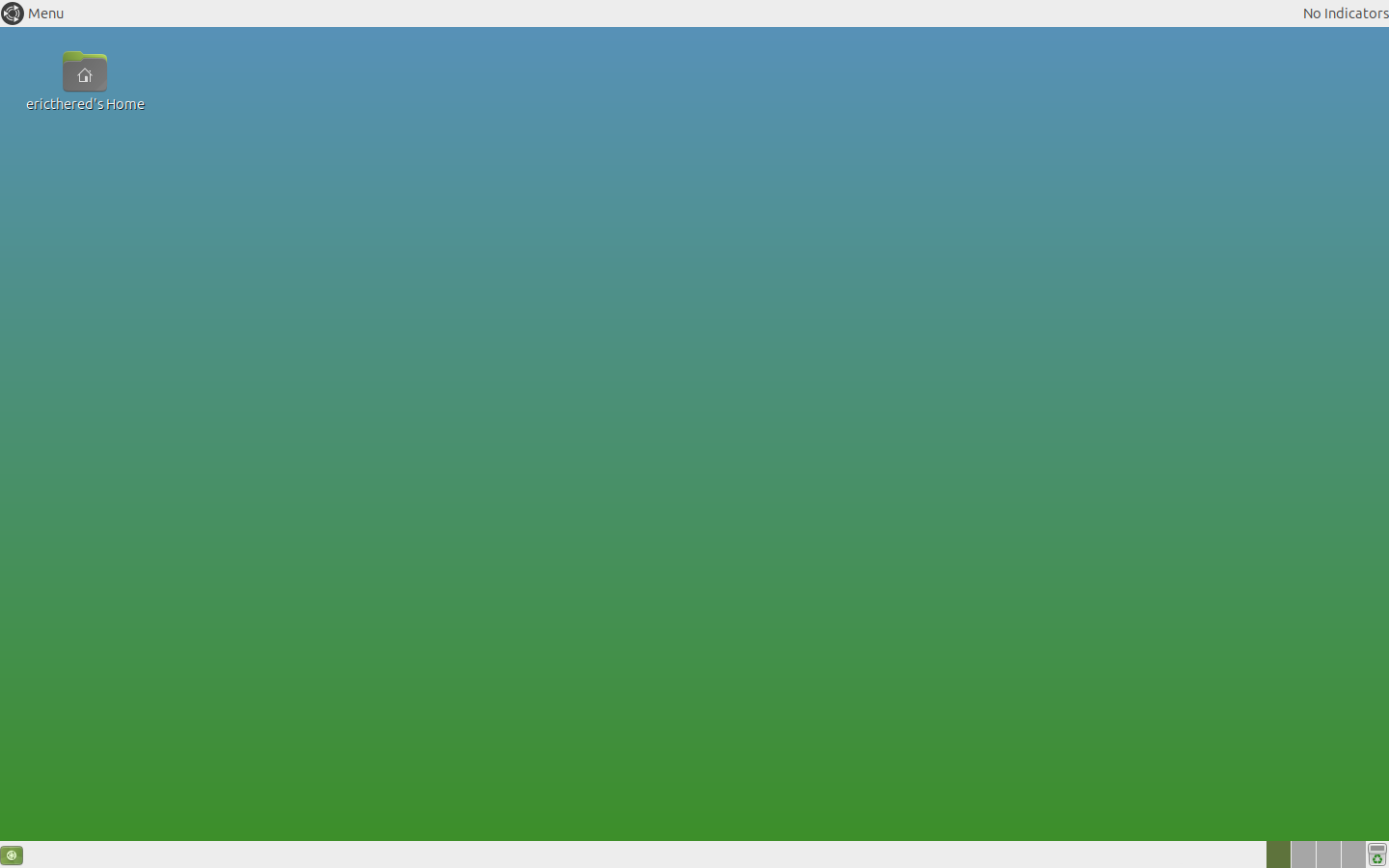
Below is the Screenshot of my evolving environment:

Note that the upper right shows "No indicators" where the usual indicator App should be displaying its various capabilities.

Is there one "top-level" of the Ayatana packages that I can install that will pull in all the others? or am I required to install all of them individually?


PUZZLE #3 ... SOLVED

I was having difficulty identifying whether UM 22.04.5 LTS system's greeter is in fact the Arctica Greeter or the Slick Greeter. Was wondering if there was any specific file that could tell me definitively which one it is, or if there was something involving systemd which would tell me?

The following probing command,

lightdm --show-config |& awk -F= '/greeter-session=/{print $2}'

reports the following:

arctica-greeter

But it looks like that is called via lightdm-gtk-greeter, as reported by the following:

update-alternatives --list lightdm-greeter | head -n1

which gives me

/usr/share/xgreeters/lightdm-gtk-greeter.desktop

which is also installed on my evolving server-based build.

FYI - The following probing command does NOT give which of the various LightDM greeters is being used. It only gives the fact that LightDM itself is the controlling "front-end" service:

systemctl status display-manager.service
3 Likes